According to statistics from 2025, approximately one in five advertisers on Google Ads has encountered restrictions on access to their profile at least once. Being blocked from Google Ads is not just an annoying technical problem, but a direct threat to sales. While you are dealing with the restrictions, your competitors are taking your customers.
It’s a familiar situation for many: you’ve invested in advertising, prepared everything, set your goals — and the next morning you discover that your profile is unavailable. The applications that were supposed to come in today simply won’t arrive. And your entire sales funnel depends on how quickly you can resolve the issue.
Remember: ignorance of the site rules does not protect you from sanctions. A couple of mistakes — and you risk spending weeks corresponding with moderators, losing your budget and potential customers in the process.
But why does Google block advertising accounts, and how can you deal with this? How do you prepare an appeal so that it will be considered? What documents should you gather in advance? And most importantly, how can you avoid getting into this situation again?
In this article, we will take a detailed look at the typical reasons for this situation, explain how to restore access, and share practical tips on how to protect your account. If you want to do more than just “put out the fire” and build a systematic approach to security, read on.
Main reasons for blocking a Google Ads advertising account
Google advertising accounts are never blocked randomly. Each restriction is based on a specific violation that has been detected automatically or by a moderator.
A notification explaining the reason is sent to the administrator’s email address and duplicated in the profile interface. Let’s take a look at the mistakes advertisers most often make that lead to problems.
Suspicious payments
Google checks more than just the validity of your card details. Algorithms analyze how well the payment information matches the business profile. In addition, if the card has already been linked to a blocked account, the likelihood of a new ban increases significantly.
From practice: some entrepreneurs try to save on bank fees and link virtual cards from little-known payment services. The result is an instant ban without warning.
What other situations raise suspicion in the system:
- typos or errors when entering payment details;
- the card was issued by a bank in another country that does not match the profile region;
- linking an expired card;
- using someone else’s or compromised card;
- three or more unsuccessful attempts to top up in a row (usually due to insufficient funds);
- depositing a large sum into a newly created account.
How to protect yourself? Before starting the whole process, make sure that the payment method is legal, valid, and linked only to your profile. The best option for Ukraine is a PrivatBank or Monobank corporate card issued directly to the company owner. This approach reduces the risk of blocking and simplifies communication with support if questions do arise.
Malicious software and viruses
Google continuously scans advertisers’ landing pages. Algorithms search for malicious scripts, suspicious redirects, and traces of phishing schemes. In practice, even a brief infection of a website can trigger a block. At the same time, simply “fixing” the resource is not enough to restore access—you will have to provide documentary evidence that the threat has been eliminated.
Where can you find information about infections? Take a look at Search Console. If you see warnings about malware, take immediate action: fix the problem, take screenshots of your site’s “clean” status, and attach them to your appeal.
An additional advantage is a technical report from your hosting provider. This set of documents significantly speeds up the review of your unlock request.
Hacker attack

When ads stop showing and a Malware flag appears in Search Console, it is highly likely that you have been hacked. The concept of “hacking” is broader than just a virus infection. Attackers gain access to your server, files, or database and use your resources for their own purposes. For this, Google moderators can block your advertising account without warning.
How hacking manifests itself in practice:
- Hidden redirects. A visitor clicks on your ad, but instead of landing on your landing page, they are redirected to a third-party resource — an online casino, adult website, or fake landing page. Google blocks such redirects instantly.
- Invisible content. Hidden links or code fragments with extraneous text appear on your pages. Regular users cannot see them, but search engine robots notice them immediately.
- Suspicious external scripts. Scripts from unknown domains are embedded in the code, which collect visitor information or perform malicious actions.
If your platform has been hacked, you effectively have no control over interactions with it. This means that visitors are exposed to potential danger. This argument is sufficient to reject all active offers from this company, even if the malicious code is not directly visible.
Incorrect interpretation of the subject matter of advertisements
Automatic moderation algorithms often make mistakes when it comes to specific niches. Classic examples are locksmith services or garage door installation.
In the US and Europe, these sectors are traditionally associated with high levels of fraud, which is why the search giant treats them with heightened suspicion. Ukrainian companies in similar industries are also subject to increased scrutiny, and even completely legal businesses risk being banned for no reason.
Prepare for extended verification. Gather as complete a set of documents as possible: licenses, contracts with clients, quality certificates. Sometimes photo and video reports from real sites where you have performed work can help. The more convincing your evidence base, the higher your chances of success.
Attempts to circumvent the moderation system
Although every advertisement is checked before publication, some advertisers try to cheat: first they launch a “harmless” version, and after approval they change the content of the landing page to something prohibited.
A typical example: You advertise homewear, and moderators approve everything. Then you change the content—instead of pajamas, erotic costumes appear. Google considers this to be intentional deception. The result is a block, often for life.
Distortion of facts
Most often, the problem is described as “misleading statements.” Advertisers who promise guaranteed results where it is impossible to guarantee them are targeted.
For example, weight loss products promising “lose 10 kg in a week” or fitness programs with a “guaranteed perfect figure.” Google considers such wording to be misleading to users and blocks similar texts.
Sale of counterfeit goods
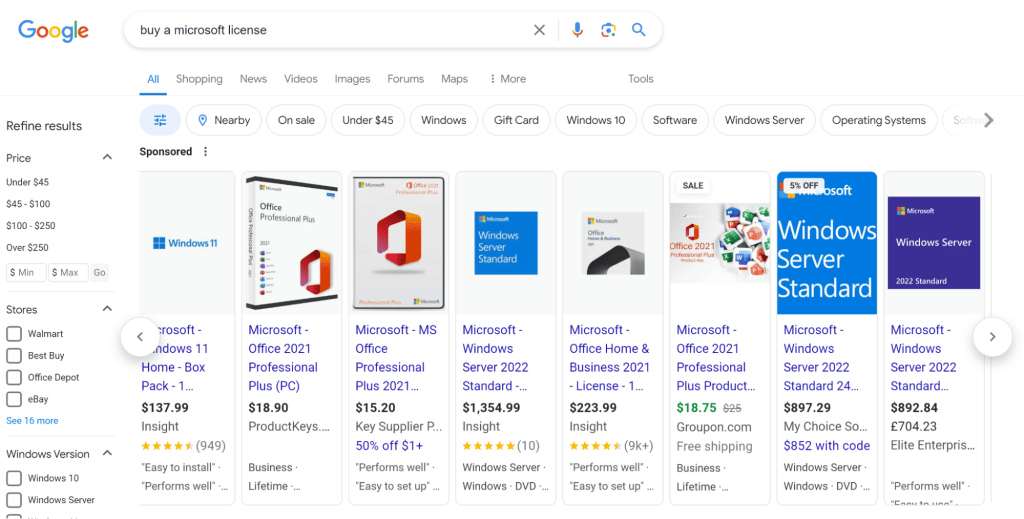
Advertising goods that imitate well-known brands is also prohibited in the system. It does not matter whether you honestly indicate that it is a copy. The words “replica,” “copy,” “imitation,” and “fake” in the description are a direct path to being banned.
The system analyzes the text and content of the landing page, searching for brand mentions, logos, and characteristic phrases. You cannot advertise “Adidas sneakers” and lead visitors to a page with a clear reference to “Abibas” — this is an obvious violation. To unblock the ad, you will have to not only edit it, but completely remove the cards for questionable products.
Unfair methods of attracting traffic

This label is given to advertisers who try to cheat the Google Ads auction. The most common scenario is placing ads for identical products using the same keywords from several accounts at once. In this way, unscrupulous players try to occupy more positions in the search results and squeeze out their competitors.
Google’s rules on this issue are clear: you cannot show identical or similar ads to the same audience from different profiles. Similarly, it is prohibited to promote the same website, application, or organization through several advertising accounts simultaneously. To remove such a ban, you will need to eliminate the duplicate profile (disable campaigns and delete it). Only then can you submit an appeal.
Unacceptable content
Profanity, content promoting intolerance or discrimination, images of crime scenes, scenes of violence. Even if such content is not directly related to your product but is present somewhere on the service, it is grounds for a ban.
Suspicious activity
This category includes advertising messages that appear unsafe from the system’s point of view. Spam mailings, intrusive promotion techniques, clickbait headlines that mislead users — all of this arouses the suspicion of algorithms and can lead to a ban.
Copyright infringement
Using other people’s images, texts, or videos without permission is another common cause of problems. Google responds to both complaints from rights holders and violations it discovers on its own. It is particularly risky to use photos from search results or downloaded from photo stocks without a license.
Unacceptable business models
Google defines this term as blatantly fraudulent activities: attempts to deceive users into revealing personal information, extorting money under false pretences, falsifying information about companies or specific individuals.
If your profile has been blocked with this wording, the chances of successful recovery are minimal. Google rarely accommodates such cases, considering such violations to be intentional and dangerous for users.
What else can get your Google Ads account blocked?

In addition to obvious violations, there are less obvious reasons for blocking a Google Ads account. They are rarely mentioned in official help articles, but in practice they occur regularly:
- Errors in campaign settings. Incorrectly allocated budget, overly aggressive targeting, or incorrect bid settings can all be interpreted as attempts at manipulation. The algorithm detects illogical behavior and may suspect something is wrong. The advice is simple: double-check your settings before launching and avoid sudden, unusual actions.
- False positives from automated algorithms. Google relies on machine learning to monitor the situation. Sometimes algorithms make mistakes — they mistake correct information for suspicious or confuse legitimate businesses with fraudulent ones. A technical glitch or minor data discrepancy can cause a page to be blocked automatically, even though you haven’t done anything wrong. In this situation, don’t panic: contact support immediately and request a manual review. Such misunderstandings are usually resolved within a few days.
- Outdated or incomplete information in your profile. This is especially important when restoring access. Have you sent a request but forgotten to update your contact phone number or upload the latest documents? The system will consider this a non-compliance. Make it a rule to check once a quarter that all fields in your settings are filled in and up to date. Pay particular attention to legal details, payment details, and contact information.
What should you not do if your Google Ads account has been blocked?
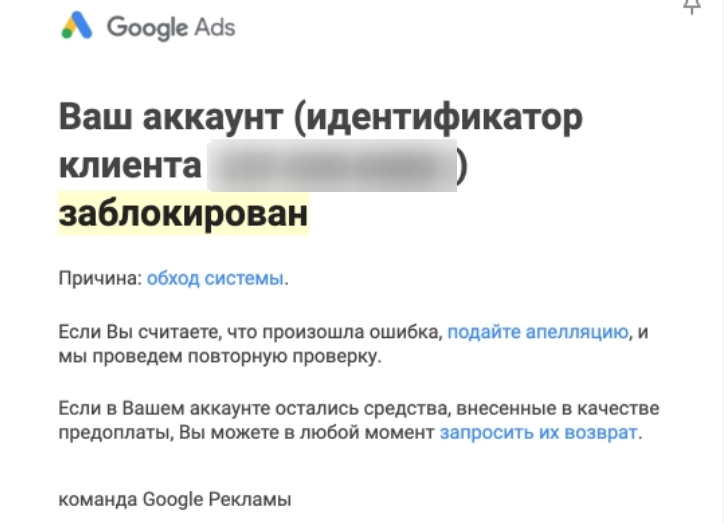
The first impulse is to create a new account and continue working as if nothing had happened. This is the worst possible decision. If your Google ads have been blocked, registering a new account will almost certainly result in a permanent ban, which will be extremely difficult to lift, and in most cases impossible.
Google easily establishes a connection between a blocked and a newly created profile. The system compares dozens of parameters: domain, payment details, email address, IP, device and browser information, and even shared users with access to the account. If there is a match on even a few points, the new account is banned along with the old one.
What else do you risk if you choose this path:
- Loss of accumulated history. Statistics, advertising performance data, conversion information—all of this will remain blocked. You will have to start from scratch.
- Increased cost. Without a history of quality, Google will rank your ads lower. The result is a higher cost per click and worse positions in the auction.
When is creating a new account justified? Only if all methods of unlocking have been exhausted and appeals have been definitively rejected. In this case, you will have to change literally everything: your payment card, email, domain, IP address, and the device you use to log in. Any connection between the new profile and the old one will be grounds for another ban.
How to unblock a Google advertising campaign?
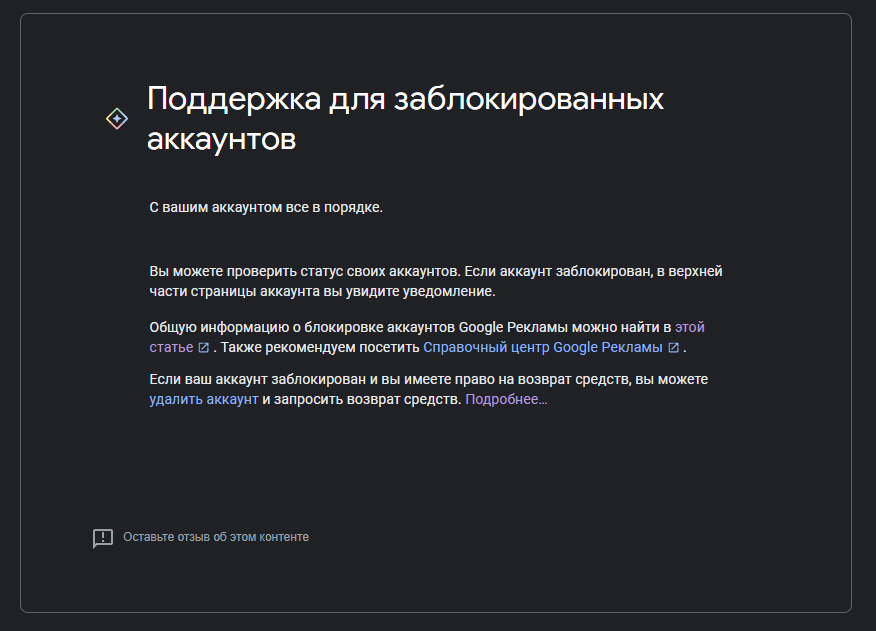
When your ads stop showing, time is working against you. Every day of downtime means missed opportunities and lost money. Below is a step-by-step plan to help you unblock your Google ad campaign as quickly as possible.
Set up your account type
Before writing to support, make sure that your email and payment details have not been exposed in previously blocked profiles. This is critically important.
A real-life example: a client launched a campaign, and it was blocked within 24 hours. We started investigating and found out that three years ago, he had helped his brother register Google Ads using his details. That profile had long since been banned and forgotten.
But Google remembers everything: the system linked the old abandoned account to the new one, and the ban was automatically transferred. It took a long time to prove that the current business had nothing to do with those violations.
Determine the type of blockage
The unlocking strategy depends on the type of restriction:
- Rejection of individual ads. This can often be resolved with a single request to support. Google saves resources and checks everything using automated algorithms, which often make mistakes. Write to technical support and request a manual review. Important note: if you work in a “suspicious” niche (emergency door opening services, etc.), make sure you have passed extended verification. Otherwise, even after initial approval, support may issue a ban if they discover that the verification has not been passed.
- Blocking of the entire account. This is a more serious matter. Most often, the problem lies with the payment method: the card did not pass verification, the information does not match the profile, or some data was previously used in a banned account.
Review the blocking message
Google always explains the reason for restrictions—you just need to find and read the explanation correctly. Check the email address linked to your account. Also, take a look at the “Messages” tab inside your account—additional details often appear there.
The notification usually specifies the specific reason and references to the rules that you have allegedly violated. Do not ignore these references — follow them and study the relevant policies in detail. Check your materials against the content requirements. Check whether your website complies with technical standards. Make sure that your payment details are up to date and correct.
Fix the errors
Once the cause is clear, proceed with corrections. What exactly to do depends on the type of violation:
- If the problem is with the content of the ad: edit the text, remove prohibited words and phrases. Replace images that do not comply with Google’s policies. Check all links — they must lead to secure pages with relevant content.
- If it’s a technical error: scan the site for malware (use Google Search Console or third-party services such as Sucuri). Make sure that ad labeling is set up correctly and meets the site’s requirements.
- If you have been blocked due to payments: update your card details, check your transaction history for declined payments, and link another payment method if necessary.
File an appeal
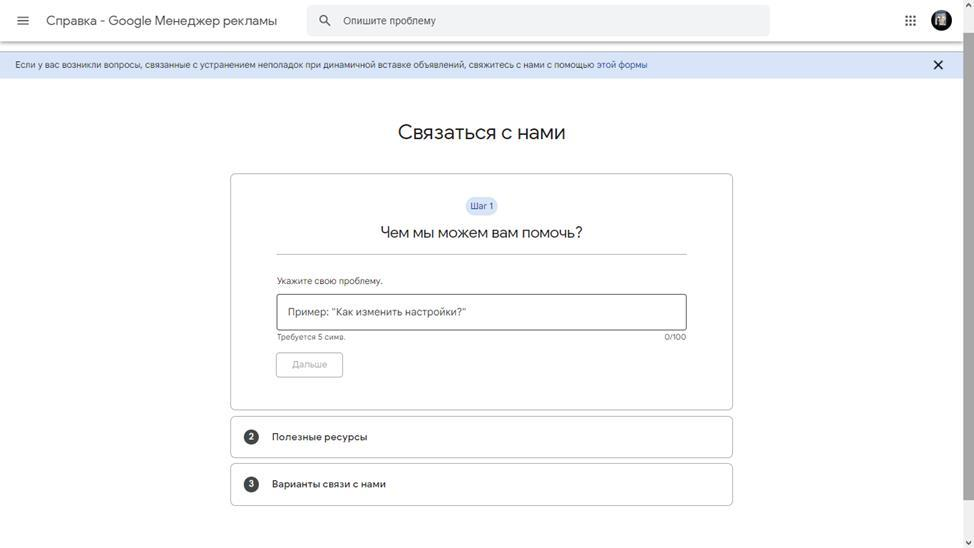
After fixing the issues, send a request for a re-check. Here’s how to do it:
- Sign in to your Google Ads account.
- Find the “Support” or “Help Center” section.
- Go to the section related to blocking and select the appropriate form for filing an appeal.
- Fill in all fields, describe the changes in detail, and attach supporting documents.
Got rejected? Don’t give up. Keep trying — sometimes it takes three or four tries to get things sorted. The key is to add more evidence and tweak your wording with each new appeal.
If your account is linked to an agency, please contact your account manager. Agencies have a dedicated Google support line, and their requests are often handled more quickly and attentively.
Attach evidence

An appeal without supporting documents is almost guaranteed to be rejected. Your task is to convince the moderators that you are running a real, legal business and that the block was made in error. The more evidence you provide, the higher your chances of a positive decision.
What you need to prepare for contacting support:
- Detailed description of the situation: why, in your opinion, was the campaign blocked and what specific steps did you take to rectify the situation?
- Screenshots confirming the changes made — edited ads, updated website pages, new payment details.
- Documents proving the legality of the business: contracts with clients, licenses, certificates, extracts from registers.
- Technical documentation, if necessary — for example, SSL certificate, website antivirus scan report, statement from the hosting provider confirming the absence of malware.
Practical tip: gather everything into one folder in advance. When the time comes to file an appeal, you will already have a complete set of documents ready, and you won’t waste precious time searching for them.
Wait until the check is complete.
After submitting your appeal, you will receive a notification that your application has been accepted for processing. The standard processing time is one to five business days. Unfortunately, it is not possible to expedite the process: neither repeated letters nor phone calls will help.
Important point: appeals are reviewed manually by real Google specialists, not by an algorithm. This is both a plus and a minus. The plus is that a human can understand the nuances of your situation. The minus is that if your appeal is denied, it means that the moderator has indeed found a problem.
What should you do if your appeal is rejected? Don’t give up. Analyze the support response, look for the reason for the block that you may have missed, fix it, and submit another appeal.
How can I avoid Google ad blocking in the future?
Accept reality: sooner or later, almost every account will encounter moderation issues. Rules change, legislation tightens, algorithms improve.
Today, your business is operating without restrictions, but tomorrow a new licensing law comes into effect, and campaigns are halted. Therefore, the main task is not to hope that this will not affect you, but to build a protection system in advance.
Complete verification
There is a verification section in Google Ads settings — don’t put it off until later. Upload documents proving your identity (for a personal account) or confirming your company’s registration (for a corporate account).
This simple measure increases Google’s trust in your account and reduces the likelihood of automatic blocking. Verified accounts are less likely to be flagged by algorithms.
Link your advertising account to Google Business Profile
Linking to your business profile is additional proof of your legitimacy. If problems arise in the future, you can tell support: “We have been verified by GMB, provided all the necessary documents, and our business is real and verified.”
This argument encourages moderators to review your appeal more carefully and helps prevent your advertising account from being blocked for unjustified reasons.
Synchronize your advertising account and Search Console
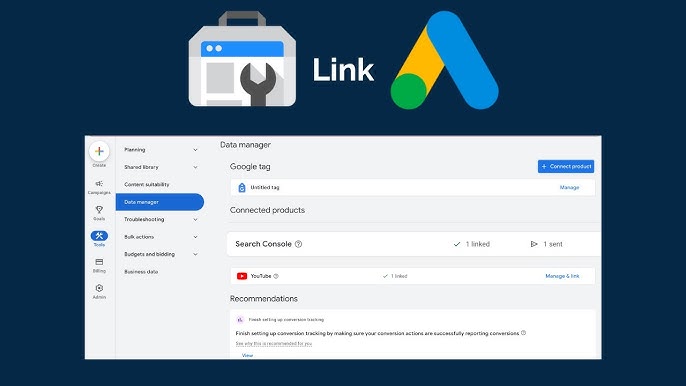
Search Console shows how Google perceives your website from a search engine perspective. The service checks the security of the resource and records the results of the check.
If you have been blocked allegedly due to malware or hacking, but Search Console confirms that there are no problems, this is a strong argument for an appeal. Attach screenshots of your “clean” status and prove that the ad block in Google Ads was a mistake.
Critically important: connect Search Console before problems arise. If your account is already blocked, it will be impossible to do so.
Install an SSL certificate
Secure connections (https) have long been the standard. Google considers websites without SSL to be potentially unsafe, which may result in them being blocked. Certificates are inexpensive, and many hosting providers offer them for free, so there is no reason to delay installation.
Regularly update your CMS, plugins, and theme.
Outdated software is an open door for hackers. Most hacks occur through known vulnerabilities in older versions of WordPress, Joomla, or popular plugins.
Set up automatic updates or check for new versions at least once a week. This will help you avoid being blocked due to website compromise.
Do not use a VPN
Log in to your account from a single device with a static IP address. If you use a VPN and do not monitor which region it assigns to you, the system may decide that your account has been compromised by malicious actors.
Today you are in Kiev, tomorrow your IP shows Germany, the day after tomorrow — the USA. For Google, this looks like suspicious activity, and blocking becomes a matter of time.