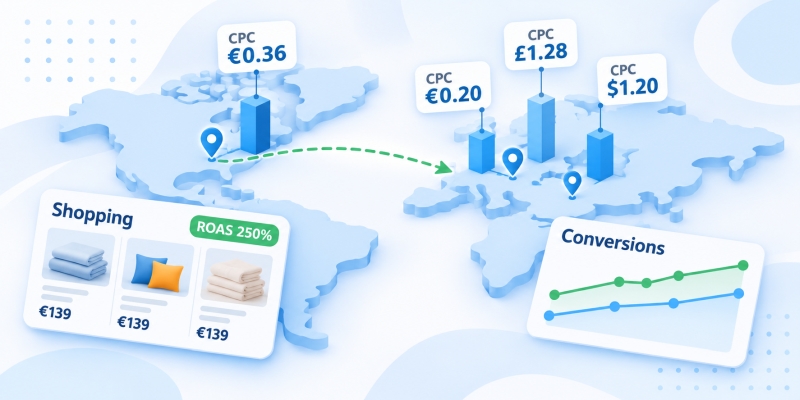
The store has consistent sales in Ukraine, but growth has hit a ceiling. The thought of Poland, Germany, or even the States right away crosses your mind—followed by fear: a foreign language, foreign currency, unclear budgets. In reality, you can test the demand in another country for 300–400 euros, without a local warehouse or legal entity. Below, we will break down step-by-step how eCommerce can go international using Google Ads: from choosing a country to the first ROAS figures.
We won’t touch on taxes, payment processing, and logistics here—we covered those in the article on how a Ukrainian online store can sell abroad. Here, it’s just about advertising.
Why is it better to start entering foreign markets with Google?
Many start with Etsy or Amazon. The logic is clear: the traffic is already there. In the video below, I show the flip side—people come to a marketplace for the platform itself, not for your store. They aren’t looking for a brand, but rather “something similar to what I want.” The commissions stay with the platform, and so does the customer base.
With Google, it’s different. A person enters a query, sees a product, its price, and photo, and goes directly to the website. Customer contacts, repeat orders, discounts, and LTV management—everything is in your hands. A marketplace is a storefront for sellers; Google is a storefront for buyers. Plus, Google owns the two largest search engines in the world: Google Search itself and YouTube.
Among other things, there are no low-competition niches left abroad. The ocean is red, not blue. However, Google Ads for eCommerce provides the cheapest way to gain certainty—to “test the waters” of demand with a small budget and decide based on the numbers whether to invest further. For those looking for how to sell products abroad online without intermediaries, a better test hasn’t been invented yet.
By the way, the barrier to entry has dropped significantly. Previously, launching required an agency or an expensive specialist. Now, a store owner can put together a basic Shopping campaign themselves in an evening. Google Ads advertising abroad is no longer just a story for large companies, and it can be set up literally “from the couch.”
How to choose a country for an online store’s export expansion?
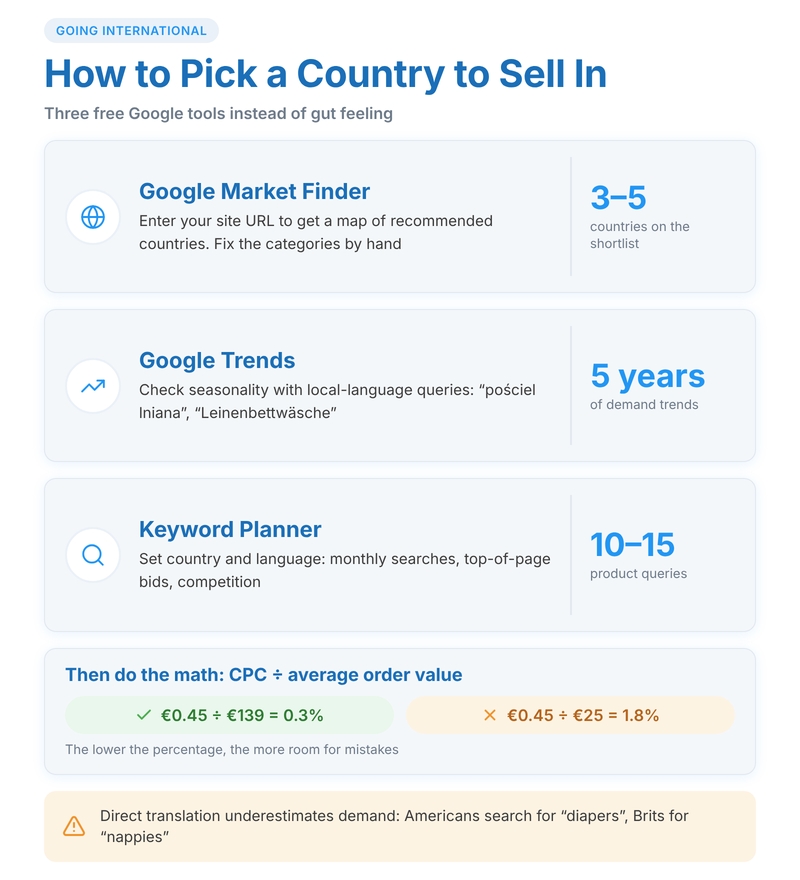
Intuition is a bad advisor here. “People in Germany are rich” is not an argument if a product is searched for there 200 times a month, and a click costs one and a half euros. Google has three free tools, and together they provide a clear picture.
Google Market Finder
Just a website address is enough—in return, you get a map of recommended countries for your product range. For each, you can see how the residents use the internet and how much disposable income they have. The service sometimes misses the mark with the category (a ceramics store can easily be lumped entirely into “home goods”), so correct the categories manually. The result is a shortlist of 3–5 options, not a definitive answer.
Google Trends
Check the seasonality and trends. Enter the product name in the local language—not in English if we’re talking about Poland or Germany. Let’s say you sell linen bedding: compare “Leinenbettwäsche” in Germany, “pościel lniana” in Poland, and “linen bedding” in the UK over five years. A rising trendline peaking in May–June will suggest when to enter. A falling trendline for the third consecutive year is a reason to cross the country off the list.
Keyword Planner
The main tool for this stage. Select the desired country and language in the settings, enter 10–15 product queries, and write down the following in a spreadsheet:
- average monthly searches;
- top of page bid range;
- competition level.
Next to it, add a column with the price tags of local sellers from the search results. Then comes the math: divide the expected CPC by the average order value. A bedding set for 139 euros with a 0.45 click is a 0.3% ratio. The same click with a 25 euro order value is already 1.8%, and the economics will almost certainly not add up. The lower the percentage, the more room for error. International sales via Google Ads start precisely with this spreadsheet, not with the “Create campaign” button.
Attention! Queries are formulated differently even in the same language. Diapers are searched for as “diapers” in the US, but “nappies” in the UK. A direct translation of Ukrainian semantics will drastically underestimate the demand.
Where to start with Google Ads for an online store abroad?
You will need two services: a Google Ads account and Merchant Center. The first manages impressions and money; the second stores products and checks the store for policy compliance. Registration is simpler than it seems—no harder than setting up an Instagram profile. You don’t need to open a company in the US or the EU just for advertising.
Before launching, go through this checklist:
- Multilingual website: a version in the country’s language, prices in local currency.
- Separate “Shipping” and “Returns” pages with specifics—timeframes in days, costs, and who pays for return shipping.
- Contacts: email, address, and preferably a messenger.
- Payments with foreign cards go through (make a test order yourself).
- The “Purchase” conversion is set up, passing the value and currency.
- A card is linked to the account, and the balance is topped up.
Another detail people learn about too late: the currency of the advertising account cannot be changed after creation, and the timezone can only be changed with restrictions. If you plan to seriously work with the EU, consider a separate account in euros. Calculating ROAS will be easier.
How to set up a Merchant Center product feed for multiple countries?
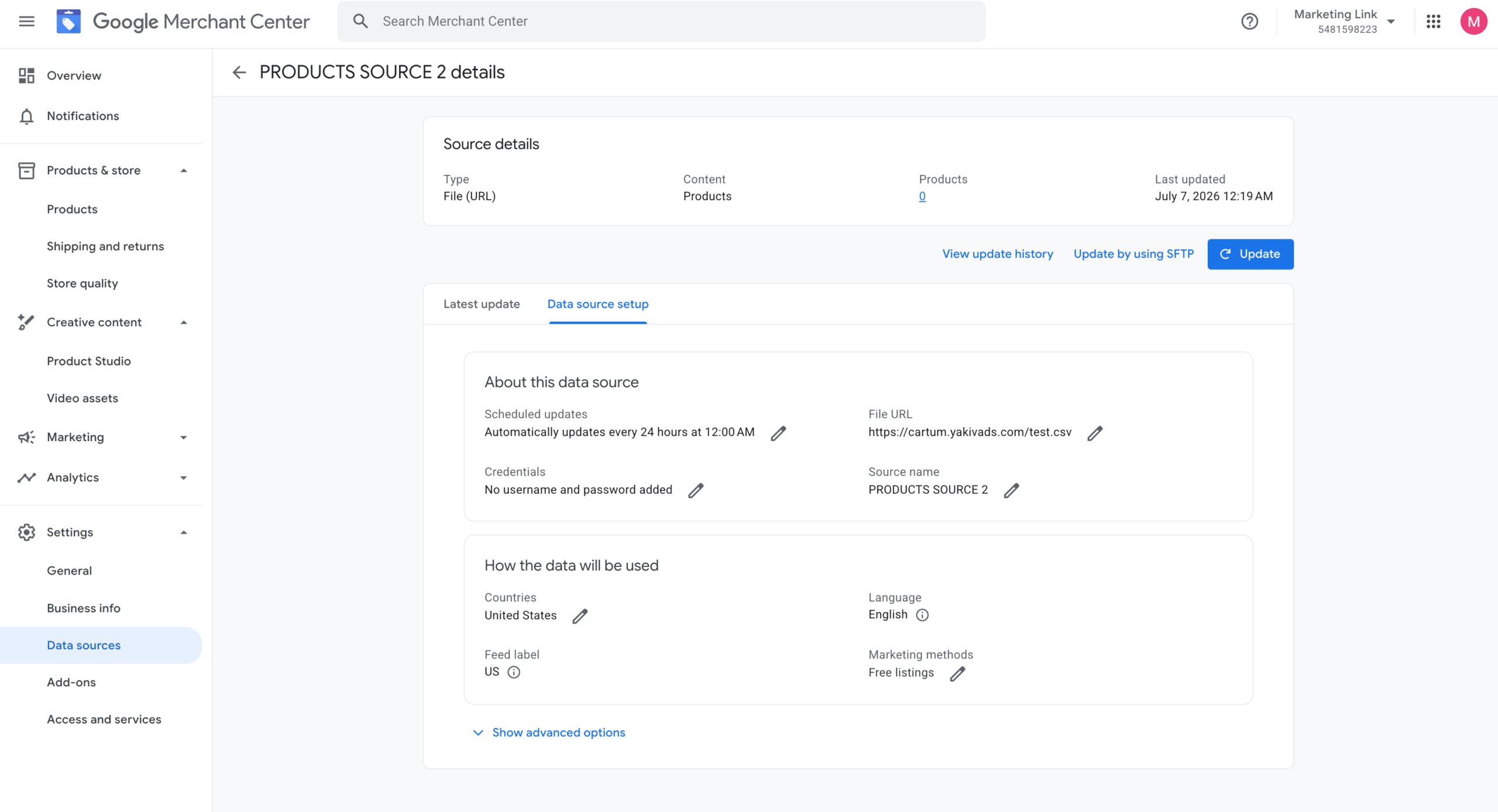
A product feed is a data stream containing titles, prices, photos, and availability. It determines which queries will trigger your product, so a feed for another country is not just a translated copy of the Ukrainian one. In practice, the question of how eCommerce can go international with Google Ads most often hits a roadblock right here.
There are two scenarios. Countries with a shared language can be covered by a single data source: you just add additional countries in its settings. A classic pair is Germany and Austria. For markets with different languages, create separate feeds: Polish, German, English.
Three strict rules:
- Google verifies the language of the feed against the product page: a German feed must link only to German versions;
- the currency in the feed and on the product page must be the same; pounds in the price with delivery in euros will result in disapproval;
- the amount in the ad and in the cart must be identical, down to the cent.
Built-in automatic currency conversion is a lifesaver during the testing phase: you upload prices in euros, and the system recalculates them itself for Sweden or the Czech Republic. The downside is that auto-conversion gives away that you are a foreign seller, and buyers respond worse to such ads. For your primary market, genuine local prices, rounded according to local customs, are better: 599 zlotys, not 601.37.
Shipping and returns are set up in Merchant Center itself. Every market needs its own shipping service: destination country, currency, cost, and timeframe. Merchant Center also accepts return policies by countries or their groups. The data must match the pages on the site—moderators quickly catch discrepancies like “14 days” versus “30 days”.
And about titles. In Germany, bedding is bought for a 135×200 cm duvet; in the UK, the popular size is Double—200×200 cm; in the US, sizes are indicated in inches and with words: Queen, King. The title “Linen duvet cover 200×220” won’t mean anything to an American. Rewrite product titles to match local standards and familiar terms.
Which foreign CMS makes it easiest to transfer products to Merchant Center?
Products enter Merchant Center in three ways: manually via a spreadsheet, via a feed file URL, or directly from the store’s admin panel via API. The first is okay for 20 items. But a catalog of 300–500 products with prices in three currencies needs automation: if you change a price tag on the site, it should update in the ad within an hour. Otherwise, moderation catches the discrepancy and disapproves the item.
Therefore, the CMS you use when going abroad is not just a matter of taste. I look at three things: whether there is official integration with Google, whether the CMS can provide a separate product feed for each “language + currency” pair, and how much extra you will have to pay for it. Below are the three platforms that Ukrainian stores most commonly use to enter Europe and the US.
Shopify
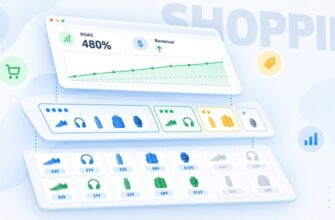
On Shopify, the official Google & YouTube app handles everything: install it, link it to your Merchant Center account, enable synchronization, and your catalog is already there. Prices, stock levels, and new items update automatically from then on. I like Shopify specifically for this connection: templates, image sizes, and markup are initially tailored to Google’s requirements, and such projects stumble less often during moderation.
For multiple countries, Shopify Markets comes in handy—each market has its own language, currency, and prices. The app has an option to auto-sync future countries: add Poland to Markets and to your shipping settings, and it will appear in Merchant Center on its own.
Now for the fly in the ointment. In reviews, sellers complain about a shared feed for all markets and overwritten shipping currencies. Moreover, having separate domains for each region doesn’t always solve the problem. There’s a case described on the Shopify forum where syncing markets with regional domains hit an “unsupported language” error.
Hence the advice: keep language versions in subfolders of a single domain: site.com/de/, site.com/pl/. And for real prices from Markets and titles in the local language, install a generator app that creates a dedicated export for each country. Plans for such apps start at 3–10 dollars a month.
WooCommerce
A free CMS built on WordPress—it’s chosen when you want full control over the site and have no desire to pay a subscription fee to the platform. The price of freedom: hosting, updates, and loading speed are entirely your responsibility.
The official extension is called Google for WooCommerce. It transfers the catalog to Merchant Center and can manage multiple countries with a single campaign. The plugin pulls their list from Merchant Center during setup.
Editing product data is convenient right inside the WordPress admin panel—item by item or in bulk. Attribute mapping is a lifesaver here: set one rule per category, and all its products with an empty field will get the necessary Google attribute.
Multilingual features are configured in the Markets section. A separate feed is generated in Merchant Center for each combination of country, language, and currency. However, for everything to work, you need a compatible translation plugin, and for currencies, you also need WooCommerce Multilingual & Multicurrency from the WPML family with multicurrency mode enabled. With just translation and no multicurrency, the Polish market would be stuck with prices in euros.
OpenCart
Most Ukrainian stores already operate on OpenCart or its localized build, ocStore. You don’t have to migrate just to export—but be prepared for more manual work here than on the previous two platforms.
In practice, the feed is assembled using a third-party module. There are two types of modules: some provide an XML file via a URL, while others upload and update the catalog via API—these are available for versions 2.x, 3.x, and 4.x. Many of them can export data for all languages and stores in a multistore setup. Set up a separate feed for each currency: Polish with zlotys, German with euros.
The main trap of OpenCart is that currency switches via the session, not the page URL. The Googlebot follows a link from the Polish feed, sees the price in hryvnias or euros by default—and disapproves the product for a mismatch. There are two solutions: a module with a currency parameter in the product URL, or a multistore setup where the Polish storefront has the zloty selected by default. The second option is more reliable.
And check the rounding. Automatic conversion based on the exchange rate yields amounts like 601.37 zlotys—they must match down to the penny in the feed and on the site, but they don’t look great. Set them manually for each storefront or configure rounding.
Which campaigns should be launched first for eCommerce?
The temptation to turn everything on at once is understandable. But on a test budget, every extra campaign dilutes the data.
Google Shopping
The foundation for foreign markets. The buyer sees the photo, price, and store name before clicking, so there are fewer non-targeted visits. A Standard Shopping campaign gives a beginner control: search queries are visible, negative keywords can be added, and the maximum cost per click is capped. For a store with no order history in a new country, it’s the most predictable start.
Performance Max
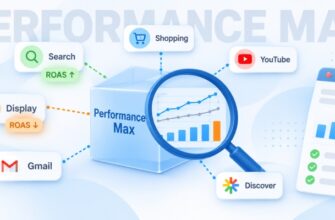
An automated format for an online store: Google distributes impressions across Search, YouTube, Gmail, and Maps on its own. It launches in a couple of minutes, but there is a catch: the algorithm needs purchase data. While there isn’t any, it learns on your dime. A working strategy is to start with standard Google Shopping or a “feed-only” Performance Max (without text, images, and videos), and add full asset groups after reaching 20–30 orders per month.
Search Campaign
Needed in two cases. The first is branded queries: customers have appeared, and people are starting to search for the store by name. The second is for products requiring careful consideration, where a person first googles “how to choose…” rather than a specific model. Gather keywords for Search Ads in the Keyword Planner with the country settings, and start with phrase and exact match.
Remarketing
In a foreign country, a store isn’t trusted on the first visit: people take a look and leave to compare. Dynamic remarketing brings people back by showing them products they’ve viewed. Enable it after 1,000–1,500 local visitors—before that, the audience simply won’t be large enough.
Where does the budget often drain when setting up Google Ads abroad?

Setting up Google Ads for other countries most often breaks down in two places.
The first is geotargeting. A new campaign starts with the “Presence or interest” option—meaning people outside the country who have shown interest in it fall into your reach. You target Germany, but clicks come in from Turkey and Kazakhstan. Switch the parameter to “Presence” and check the user location report once a week.
The same applies to exclusions. Shipping to the Canary Islands, Alaska, or Hawaii costs differently and takes longer. If you aren’t prepared to ship there, exclude those regions both in the campaign and in the Merchant Center shipping settings.
The second is language targeting. For a Search campaign in Germany, select German. Add English only if there is an English version of the site: an expat will see the ad, land on a German page, and close it. In Shopping campaigns, the feed dictates the language, so the error usually lies in Merchant Center rather than the ad account.
Stick to the “one country — one campaign” rule. Poland and Germany in a combined campaign share a single budget, and the algorithm will steer it to where the click is cheaper—not to where people actually buy. In Google Ads advertising abroad, money is lost on this more often than on bidding.
How to translate and localize ads for another country?
Advertiser surveys conducted by Google place localization at the very top among operational barriers. No wonder: translation and localization are different tasks.
Machine translation spits out text instantly. “Hochwertige Bettwäsche kaufen günstig” is grammatically tolerable, but a German wouldn’t write it that way. Order proofreading from a native speaker: on freelance platforms, checking 15 headlines and 4 descriptions will cost 1,500–2,500 UAH. It pays for itself within a week.
What to adapt besides words:
- Units and formats: inches and pounds for the US, a comma in decimal fractions for Germany.
- Selling points. Certificates and an exact delivery timeframe (“Lieferung in 5–7 Werktagen”) are important to a German, while free shipping and easy returns appeal to an American.
- Occasions. Black Friday works everywhere, but Mikołajki on December 6 is a Polish event, while Boxing Day on December 26 is British.
- Duties. The phrase “taxes included in the price” eliminates the buyer’s main fear when ordering from abroad.
For example, the ad “Linen bedding from Ukraine — handmade” translates to Polish with a CTR of about 1%. The variant “Pościel lniana 160×200 — dostawa 4 dni, zwrot 30 dni” will almost certainly double that. Size, timeframe, returns. No poetic fluff.
How much does Google Ads advertising cost in the US and Europe?
Only the Keyword Planner will show the exact figure for your niche. But there are benchmarks:
- Europe as a whole. As of November 9, 2026, the smec tracker shows 0.36 euros per click in Shopping, 0.42 in Performance Max, and 0.46 in Search for European eCommerce.
- Poland and Spain. In the country breakdown by Channable, a click in Performance Max costs around 0.20 euros.
- The United Kingdom. In March 2026, British eCommerce paid an average of 1.28 pounds per click (JudeLuxe estimate).
- The United States. Stackmatix budgets $0.60–$1.80 per click in standard Shopping and $0.80–$2.20 in Performance Max.
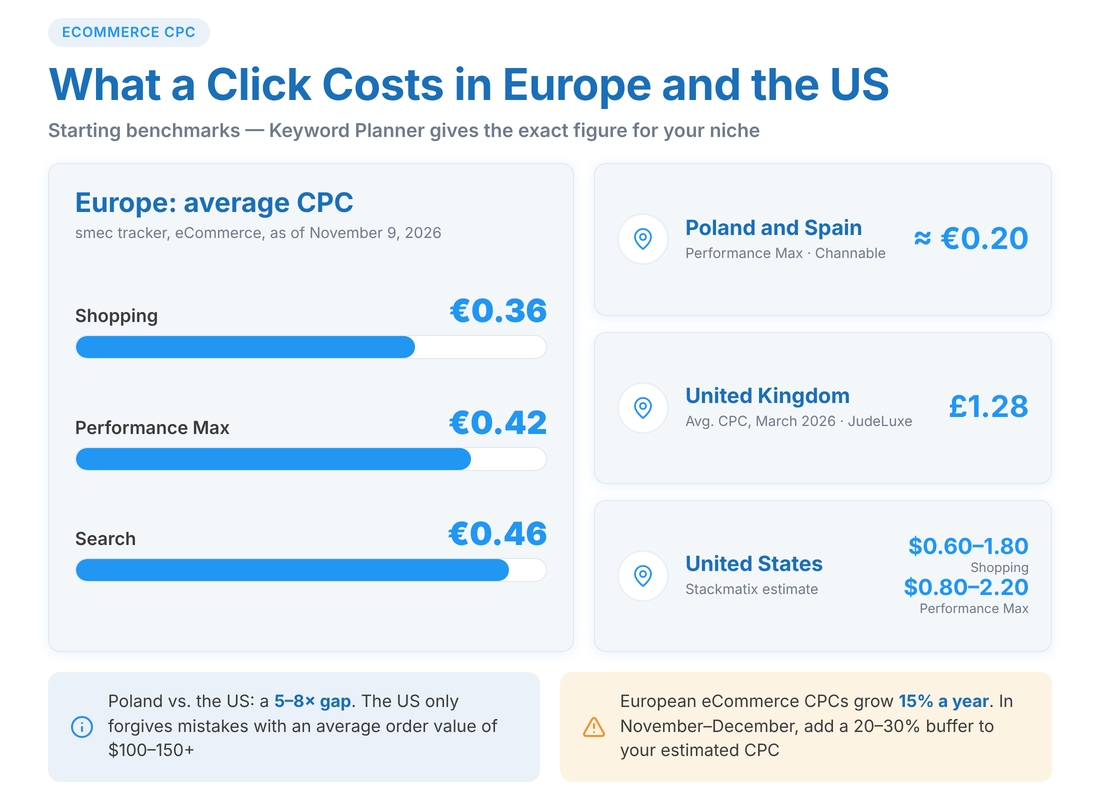
The spread between Poland and the States is 5 to 8 times. The practical takeaway for a beginner: America only forgives mistakes when the order value is $100–$150 or more.
Two factors push these figures up. Seasonality: before Black Friday and Christmas, the auction is overheated—there are more advertisers, and traffic is more expensive. And the overall trend: Channable calculated a 15% YoY increase in CPC for European eCommerce. You can start in November–December, but factor in a 20–30% buffer on top of the estimated CPC.
How to pay less per click in Europe?
Beginners usually learn about Comparison Shopping Services (CSS) six months after starting. It’s a shame—the savings begin on day one.
Following the European Commission’s antitrust fine in 2017, the Shopping ads auction was opened to independent comparison shopping services. The rule applies in the EEA countries, the UK, and Switzerland. Without selecting a partner, a store is automatically placed in Google Shopping Europe—the search engine’s own service with a margin of about 20% on the bid. In numbers: from a 1 euro bid, the auction receives only 0.80 from Google Shopping Europe, whereas it gets the full amount from an independent partner.
The campaigns and accounts remain the same after the switch—only the signature under the ad changes: instead of “By Google”, the partner’s name appears. A partner won’t provide any benefits to American or Australian campaigns.
They charge differently for the connection: some have a fixed monthly fee, while others include the service in their ad management fee. Compare 3–4 offers. And don’t expect a miracle—a CSS will not fix a weak feed or an inflated price.
What budget is needed for Google Ads to start abroad?
Don’t rush in with large sums. First a cheap test, then a decision. You’ll only have to do the math once—after that, the formulas do the work themselves.
Step one is the maximum cost per acquisition (CPA). A bedding set sells for 139 euros; the profit margin after the cost of goods, shipping, and fees is 40%, meaning 55 euros. You cannot pay more than 55 euros for an order. Breakeven ROAS = 1 / 0.4 = 250%.
Step two is the test budget. To estimate the conversion rate, you need 600–1,000 clicks from the country. At a CPC of 0.45 euros, 800 clicks will cost 360 euros—about 18,000 UAH at an assumed exchange rate of 1:50. Spread this over 3–4 weeks: it comes out to 13–17 euros a day.
Next, look at the actual results. Let’s say these 800 visits brought in 8 orders—a 1% conversion rate, making the purchase cost 45 euros. We fit within the maximum 55, so we can scale. What if they brought in 4 orders? Each cost 90 euros, meaning we are operating at a loss: first, sort out the pricing, feed, and website, then pour in more money.
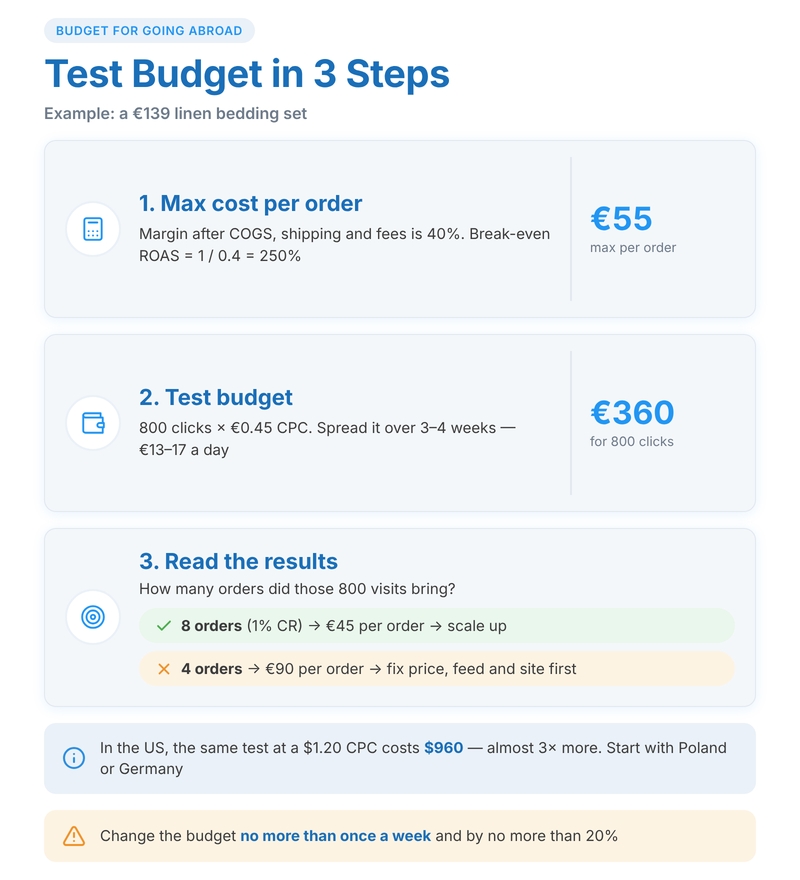
For the US, the exact same test at a click of $1.20 will run up to $960. Almost three times as expensive. Therefore, it’s easier for a beginner to test international sales via Google Ads in Poland or Germany, and tackle the States once the mechanics are dialed in.
Attention! Change your budget no more than once a week and by no more than 20%. Sudden jumps disrupt the automated bidding strategies, and the campaign starts its learning phase all over again.