Performance Max is a campaign type that promises “turnkey” sales: set a goal, allocate a budget, and Google’s algorithm supposedly does everything else. In practice, the picture is different. Money disappears quickly, conversions are few, and the reports are a mysterious mess. This isn’t about PMax “not working.” It’s just that launching a campaign without understanding the tool’s logic turns into an expensive experiment.
Today we’ll figure out how not to overspend your budget at the start, where the key levers of influence are located, and why incorrectly configured small details cost many times more than the creative demonstration itself.
Why is it so easy to lose money with Performance Max?

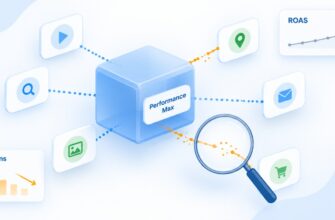
PMax (Performance Max campaigns) is a universal format where the campaign covers all Google channels: Search, Shopping, YouTube, Discover, Gmail, Display Network, and Maps. You upload assets (texts, images, videos), a product feed, set a goal — and the algorithm decides how to show your ads.
Sounds like a dream. But Performance Max operates as a “black box”: the advertiser sees the overall result, but where the ad worked — YouTube, search, or some questionable mobile app — often remains a mystery.
Remember: PMax targets not by keyword query, but by who to show the ad to. All the work at launch is essentially writing a prompt for Google’s artificial intelligence that decides which audience converts better. If the “prompt” is poorly formulated — the algorithm searches blindly. And you simply pay for its training.
Who is PMax suitable for (and who should avoid it)?
This question is often overlooked, though it determines whether it even makes sense to launch the campaign.
Performance Max works well if:
- Enhanced conversion tracking is set up.
- The budget allows for testing — at least $8-12 per day (approximately 330-500 UAH) for a small B2C assortment.
- You have a history of sales or conversions (ideally 15-30 per month, or better — 50+).
- Your site converts traffic well. If only 5 leads out of a thousand visitors — the algorithm simply has nothing to learn from.
PMax is not the best choice if you’ve just opened an online store and don’t yet know your break-even point. Here it’s better to start with search campaigns, and connect Performance Max when you have data.
How to prepare for campaign launch?
Before entering the interface and clicking “Create campaign,” you need to complete two steps. Otherwise, launching PMax is like pouring gasoline into a car without an engine.
1. Conversion setup
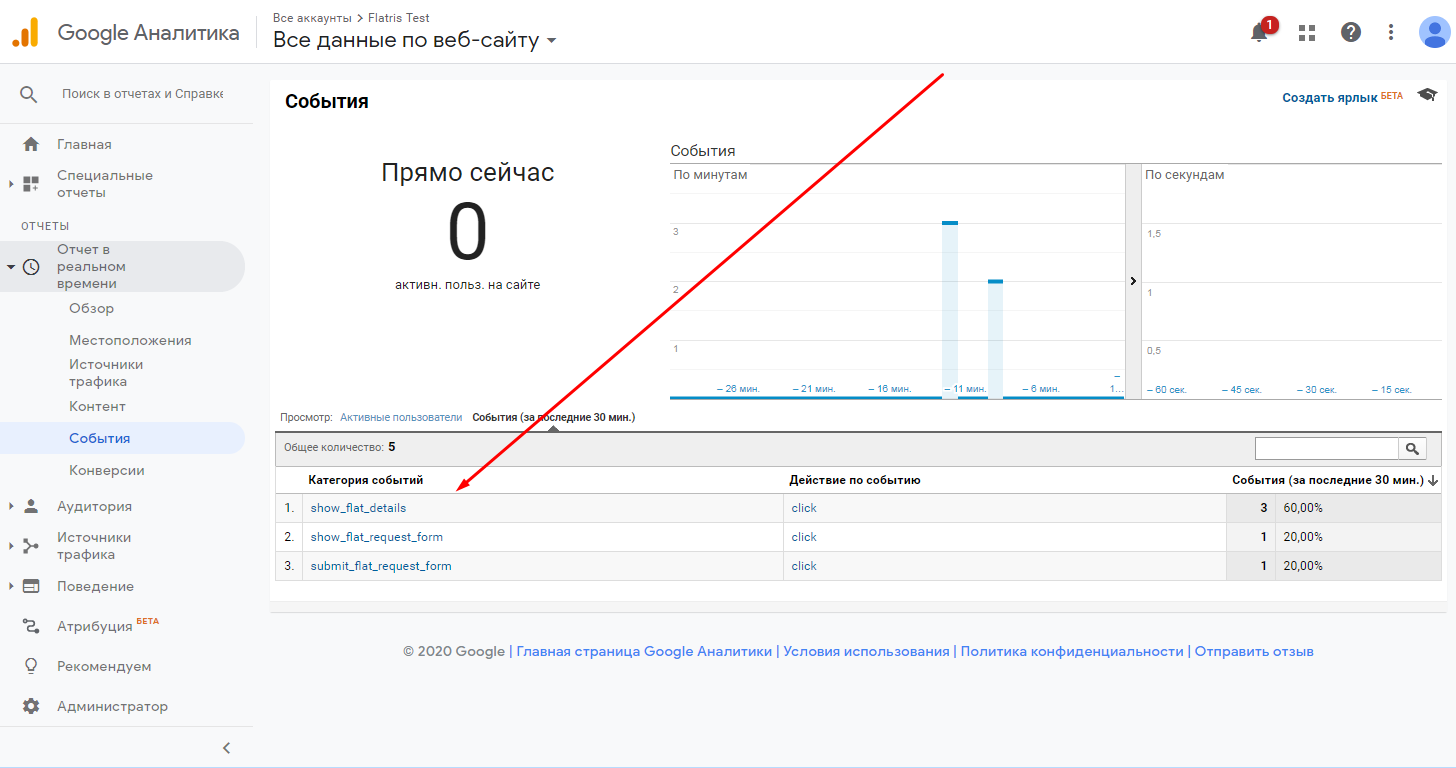
This is the moment where half of advertisers stumble. Here’s what you need to consider:
- Conversions should be set up through the Google Ads tag, not imported from GA4. This is a fundamental difference: the Google Ads tag provides the algorithm with a truly accurate signal.
- Be sure to enable Enhanced Conversions. This way, along with the conversion event, the customer’s email address or phone number is sent to Google. Since 2024, Google uses this data to refine targeting — and campaigns with this feature enabled typically train faster on average.
- The event should be “purchase,” not “added to cart” or “viewed page.” Otherwise, PMax will optimize for the wrong result.
2. Quality product feed in Merchant Center
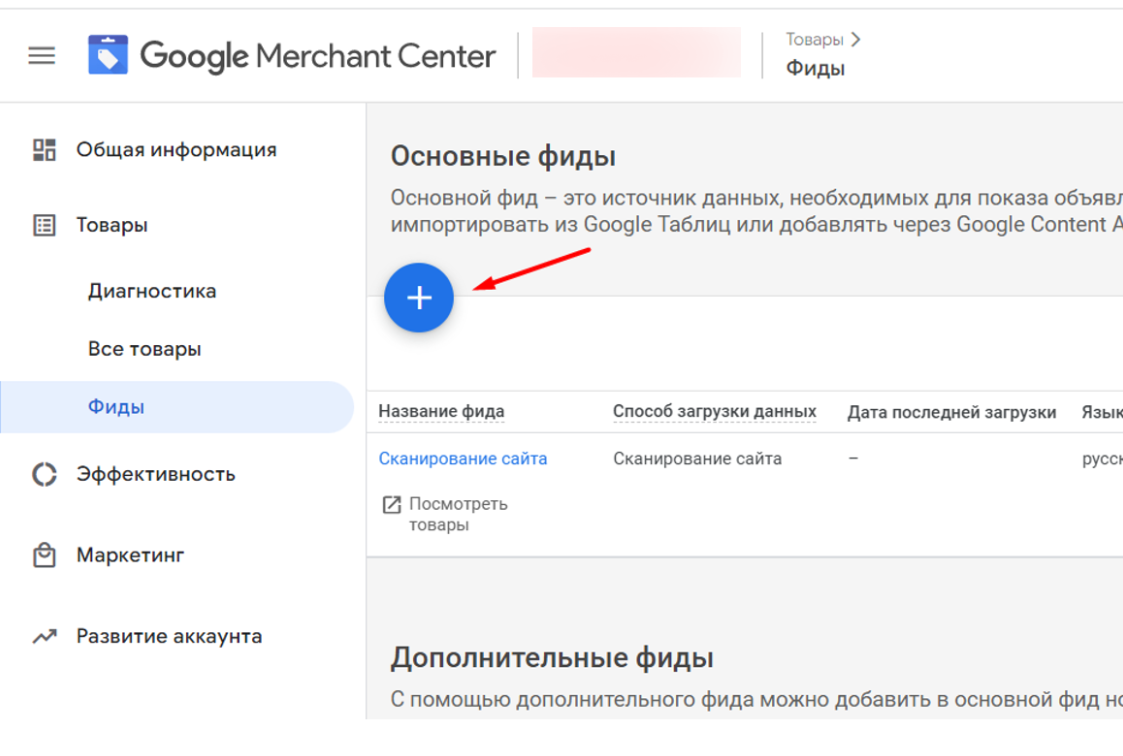
Performance Max Feed-only type (used for most e-commerce projects) is entirely dependent on the feed. The better the feed is filled — the more accurately the algorithm understands what you’re selling and who to show it to.
What to prepare first:
- Product title. The most important element. It should contain the brand, product type, key characteristics (size, color, material). Not “Black sneakers,” but “Men’s Adidas Samba sneakers, size 42, black suede.”
- Description. No fluff. Specific facts, benefits, features.
- Attributes: brand, gtin, mpn, product_type, google_product_category, custom_label_0-4. The more fields filled — the better.
- Images. High quality, on white background, without watermarks.
- Price and availability. Accurate, current, without errors (otherwise products are excluded).
Tip: Go to Google, search for “Merchant Center feed specification” — you’ll find a complete list of fields. The more information you enter there — the higher Google will rate your ad’s quality score.
Product titles can be changed. If an item isn’t selling, rewrite the title and test again.
How to best set up Performance Max for a small assortment?
If you have 15-500 SKUs (a typical range for a Ukrainian manufacturer or small store), a single Performance Max Feed-only campaign is sufficient. No need to split into parts, create separate campaigns for individual categories — this will hinder training.
The launch process itself takes literally 2-3 minutes:
- In Google Ads, click “New campaign” → select goal “Sales” → type “Performance Max”;
- Link your Merchant Center account;
- Specify budget;
- Choose bidding strategy (this is the most important moment);
- Set up geography;
- Add an asset group: creatives, texts, audience signals;
- Launch.
And now — more details about where mistakes are made.
Geography: don’t be lazy to set up manually
By default, PMax may target ads to regions where you never planned to sell. Or start showing ads to our unfavorably inclined neighbors through VPN.
What to do:
- Select Ukraine manually (or specific regions).
- Make sure the “Target locations and location interests” field is set to “Presence: people in selected locations,” not “people showing interest.”
- If you’ve organized fast delivery exclusively for Kyiv and the region — set targeting for those regions.
What daily budget to set for Performance Max at the start?
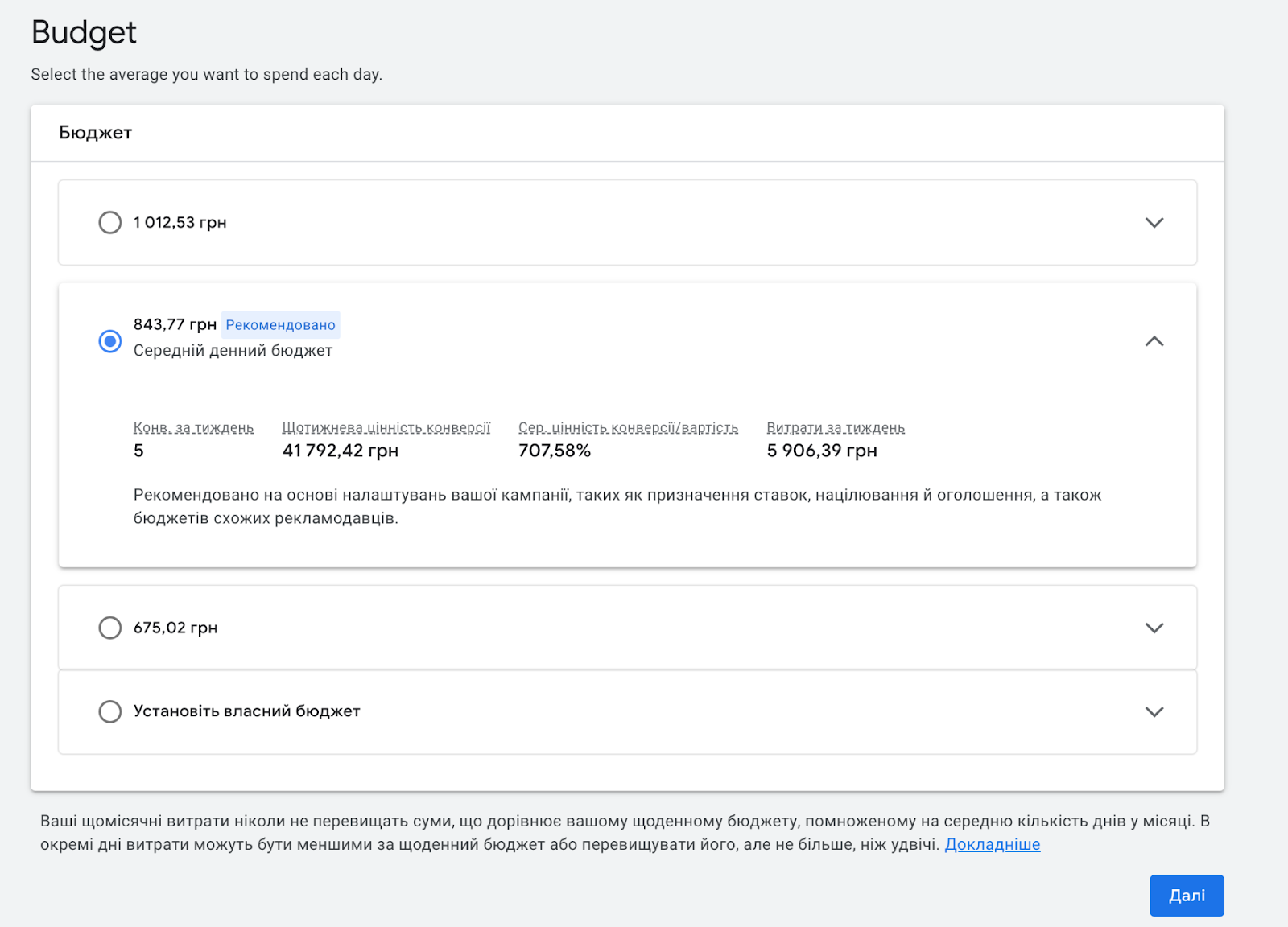
There’s no single correct answer here, but there are working ranges.
For Performance Max Feed-only B2C with a small assortment, the optimal starting budget is $8-12 per day.
How to choose correctly:
- $8 — if cost per click in your niche is low (1–4 UAH per click). This applies to most niches — household goods, clothing, accessories, children’s products.
- $10–12 — if the niche is competitive and cost per click is high (7–10+ UAH). This includes supplements, legal services, premium electronics segment, etc.
Another approach some specialists suggest — set daily budget at 20-30% of the account’s total budget. This is also a viable benchmark.
Important: Google recommends setting a budget at least three times higher than the target CPA. If your target cost per acquisition is 100 UAH, the daily budget should be at least 300 UAH. Otherwise, the algorithm will struggle to consistently get conversions.
Bidding strategy: this is where budgets most often run out
This is the moment everyone thinks about. Performance Max has two main strategies, and choosing between them is a matter of philosophy.
Option 1. “Maximize conversions” (with optional Target CPA limit)
The algorithm strives to get as many conversions as possible within the budget. This is easier to understand but less predictable — the campaign may bring many conversions at varying costs.
Suitable if you don’t have much data, or if the average check is roughly the same across all orders.
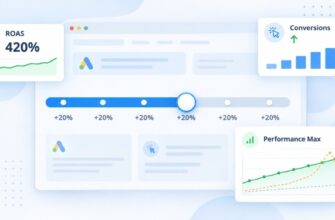
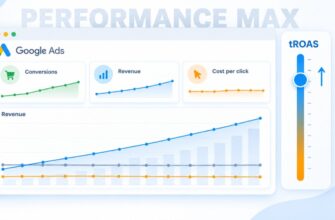
Option 2. “Maximize conversion value” (with target ROAS limit)
The algorithm optimizes not just for the number of sales, but for their total value. That is, it doesn’t matter to it — 1 sale for 5000 UAH or 10 sales at 500 UAH each. It strives to achieve the set profitability.
This is the option most experienced PPC specialists recommend. And here’s why:
- It gives the algorithm a clear signal about the business’s financial condition;
- It filters out irrelevant traffic faster;
- This is the approach used by major advertisers — from Amazon to small but profitable stores.
What ROAS to set at the start? There’s one secret here. If you know your break-even point — calculate based on it. If not — start with 500-600%. This means: for every hryvnia spent, you want to get 5-6 hryvnias in revenue.
If you set too high a target ROAS (for example, 1500%), the campaign simply won’t launch properly — the algorithm won’t find that many conversions at that price. Better to underestimate the metric at the start and gradually increase it when you get your first 30+ conversions.
Some specialists also recommend this approach: look at the average ROAS across the account for the last 30 days and set the value slightly below this indicator.
How many conversions are needed to train a PMax campaign?
This is the question everyone asks. The answer depends on the source, but the general consensus is:
- Minimum 15 conversions per month — this is the minimum threshold at which Smart Bidding starts working effectively.
- 30+ conversions per month — the comfort zone. The algorithm has enough data to make informed decisions.
- 50+ conversions per month — this is the optimal indicator. At this stage, you can calmly test ROAS strategies and scale campaigns.
If you have fewer than 15 conversions — it makes sense to either increase the budget, or temporarily abandon PMax in favor of standard Shopping campaigns.
Tip! The learning period lasts 14 days. During these first two weeks, don’t interfere with the campaign. Don’t adjust budgets, don’t change ROAS, don’t disable asset groups. Give the algorithm a chance to figure things out calmly. Any serious change — and training starts from scratch.
Asset Groups: why this isn’t just “where to upload creatives”
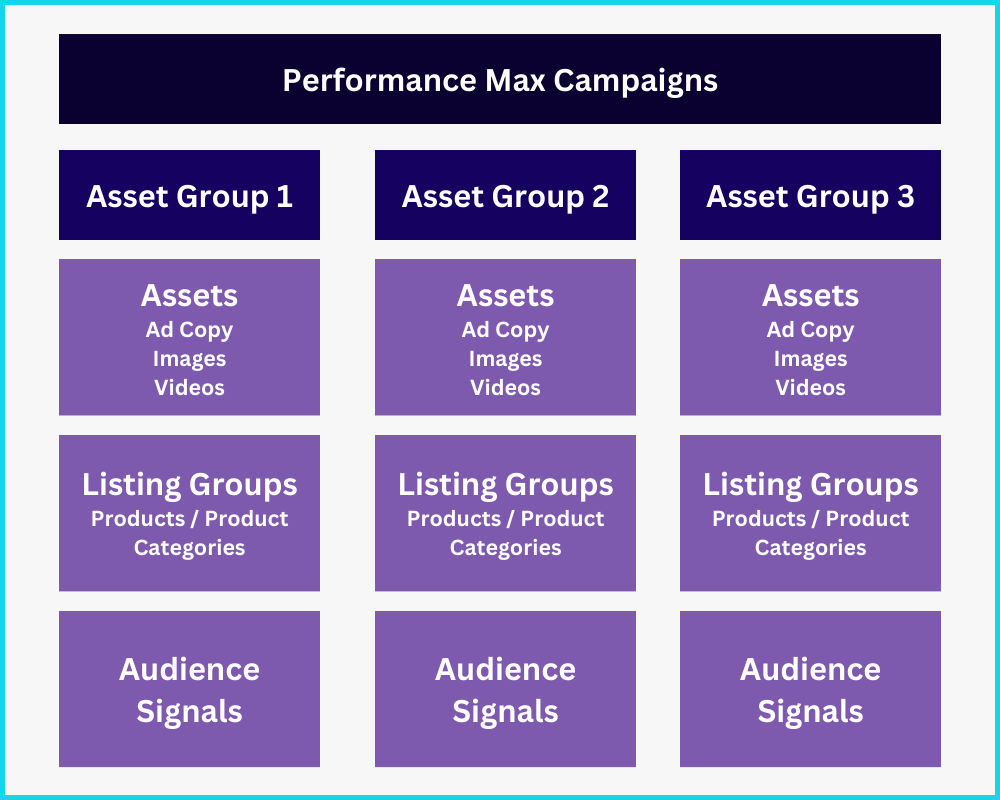
This is where most advertisers make one of the most expensive mistakes: they upload 2 headlines, 1 description, and 3 images. Then they wonder why the algorithm doesn’t “trigger.”
How many assets to add?
The basic set that Google and experienced PPC specialists recommend:
- 5+ headlines (30 characters each) — main;
- 5 long headlines (90 characters each);
- 5 descriptions;
- 10-15 images in various formats (square, horizontal, vertical);
- 1-3 videos (if you don’t have them — Google will generate them itself, but quality won’t be great);
- Logo.
The more variety — the more combinations the algorithm can test. And that means — the faster it will find those that give the best result.
How to structure asset groups?
If you have 30 SKUs — one group is enough. But if the assortment expands (50+ products of different categories), it makes sense to split into groups:
- By product categories (shoes, clothing, accessories);
- By price segment (premium vs. mass market);
- By target audience (men’s vs. women’s assortment);
Each group gets its own creatives adapted for the corresponding audience. This gives the algorithm a more accurate signal about who to show what to.
Audience signals
This isn’t targeting in the classic sense. Audience signals are just a hint to the algorithm about which audience to start searching from. Then it will go far beyond its limits.
What to add here:
- Customer lists (Customer Match) — the most valuable signal;
- Remarketing audiences (site visitors, those who added products to cart);
- Special interest or search query segments;
- Demographics (if appropriate).
Suppose you have a children’s products store. Upload a customer list, add a custom segment “parents of children under 3,” enable remarketing — and the algorithm has a starting point.
How to exclude brand traffic from Performance Max?
Now let’s move to one of the most serious PMax problems — brand traffic cannibalization.
Here’s the essence. When someone searches Google for “Epicenter store,” they’re already a customer. They know the brand, want to buy here. But PMax happily catches this query, shows them a shopping ad — and claims the conversion for itself. In the report it looks great: ROAS 1500%, cheap leads. But in reality, these people would have bought anyway.
This is called brand term inflation — brand query inflation. Because of it, PMax data looks better than it actually is.
Brand Exclusion: Google’s official tool
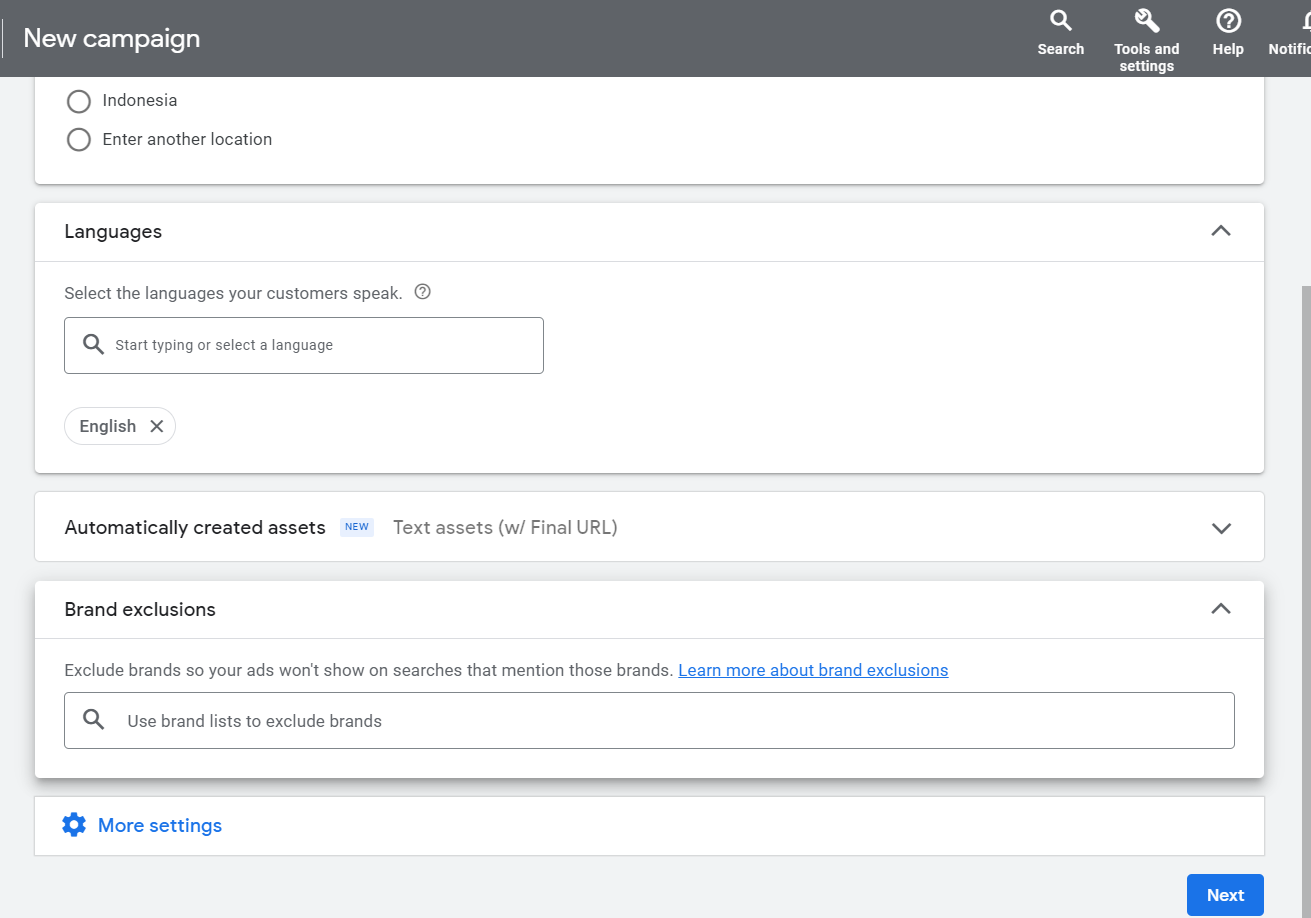
Since 2024, Google has provided the ability to exclude brands directly in the PMax campaign interface. How to do it:
- Go to campaign → Settings → find “Brand exclusions”;
- Compose a list — add your brand and its variations;
- If your brand isn’t in the directory — click “Request to add.”
Brand exclusions work like negative keywords in broad match — they cover both spelling errors and different languages. This is better than just adding negative keywords at the campaign level.
Important nuance: if you excluded the brand from PMax — be sure to launch a separate brand search campaign. Otherwise, you’ll simply stop being visible to those searching by brand. And these are missed low-cost conversions.
When does it make sense to exclude the brand?
- If you see in the “Search terms insights” report that a significant portion of traffic comes from queries containing the trademark name;
- If the ROAS indicator looks suspiciously high, while impressions in the search campaign are decreasing;
- If you want to understand the real effectiveness of non-brand traffic.
Yes, after excluding brand traffic, the ROAS indicator in PMax will drop. This is normal. But you’ll see the real picture.
How to track search queries in Performance Max?
Here’s where it gets most interesting. Unlike regular search campaigns, PMax doesn’t provide direct access to all search queries. But some control levers still exist.
Search query analytics
Go to campaign → Insights → Search terms. Here you’ll see queries grouped by topics (search categories). You can expand each topic and view specific phrases.
Since 2025, the report has significantly expanded:
- A “Source” column appeared — it shows whether the query came from Search Themes (those you added) or from PMax’s keywordless targeting.
- Data can be exported to a spreadsheet.
- Next to each search topic, an “usefulness” indicator appeared — it shows whether the topic generates additional traffic or PMax would have found these queries on its own.
Negative keywords at the campaign level
Since January 2025, Google has allowed adding negative keywords directly to the PMax campaign (previously this could only be done through support). This needs to be used.
What to add to the “negative keywords” list:
- “Free,” “cheap,” “90% discount” — if you sell premium products;
- Competitors you don’t want to show for;
- Irrelevant queries you find in Search Terms Insights.
Search themes
“Search themes” are phrases your customers use. Up to 25 themes per asset group. The algorithm will try to show ads for these themes in addition to those it finds on its own.
Several rules:
- Don’t stuff everything in there. Quality is more important than quantity.
- Regularly check the performance indicator. If a theme doesn’t bring additional traffic — replace it.
- Search Themes takes into account Brand Exclusions and negative keywords at the account level.
Spending control: where else does money go?
Performance Max can show ads on any Google properties — including mobile games, children’s apps, and questionable sites. This is a separate story that can lead to budget waste.
What to do about it:
- In the “Insights” → “Performance per channel” report, see where impressions are happening.
- Disable unwanted placements at the account level (Account settings → Content suitability center).
- Completely disable mobile apps if you’re not targeting a gaming audience.
- Compose an exclusion list with words “kids,” “game,” “mobile app” — and apply it to the account.
Life hack: at the account level, you can enable the “Limited inventory” filter — this will limit impressions on potentially questionable content. You’ll lose a bit of reach, but traffic quality will improve.
Post-launch optimization: what and when to do?
The first 14 days — waiting mode. We don’t touch anything, just observe. During this time, you can make initial conclusions:
- How many conversions? If fewer than 10 — either increase the budget, or reconsider the strategy.
- Where are conversions coming from? We review Search Terms Insights, check if it’s exclusively brand.
- How are asset groups working? If one group brings 90% of conversions — strengthen it.
After 30 days — scaling:
- If ROAS is above target — increase budget, but no more than 30% at a time. Sharp increases reset training.
- Gradually increase target ROAS if there’s room.
- Test new creatives — add them to existing groups, without removing old ones.
Every substantial change is a new training phase. So adjust one parameter at a time and wait 7-14 days to see the result.
And one more thing. PMax is not a “panacea.” It’s a tool that amplifies what already works. If the site converts poorly, if prices are above market, if there’s no logistics — Performance Max won’t save you. It will just show you faster that something is wrong with your business model.
Remember: any PMax setting is a hypothesis that needs to be tested. There is no “only correct” way to launch a campaign. There’s only the approach that suits your business — and you can find it only through testing.