Go to Google and enter the query “buy mountain bike Kyiv”. The first few links with a small “Ad” label are the tool we’ll talk about further.
Contextual advertising is a form of online advertising where ads are shown to users based on keywords they entered in the search bar, their interests, or the content of the website they’re viewing. The name speaks for itself — the advertising is embedded in the context of the user’s actions. Entered “sushi delivery Odesa” in the search — received offers from local restaurants. Reading an article about kitchen design — see a banner from a home appliances store.
Next, we’ll explore in detail what contextual advertising is, what formats it has, and why businesses need it at all. And also — why marketers love calling it a source of “hot” clients.
What is contextual advertising in simple terms?
If explained even more simply — this is advertising that the user sees at the moment when they themselves are interested in the topic. Not a poster at a bus stop. Not a commercial between episodes of a favorite series. But precise targeting exactly at the moment when a person is looking for a solution.
In Ukraine, the main platform for launching such ads is Google Ads, the advertising service from Google. Through it, businesses reach users of search, YouTube, Gmail, Google Maps, as well as millions of partner websites and mobile applications.
How does contextual advertising fundamentally differ from other formats? It relies on existing demand. The user already wants to buy or order something — the advertiser just needs to appear in front of them in time.
The essence of contextual advertising and its main features
The essence of contextual advertising is to show an offer to a specific person exactly when they need it most. This is what makes it so effective compared to, say, billboards or TV advertising, where the message reaches anyone.
Suppose you opened a small nail studio in Odesa. Distributing flyers at a shopping mall is possible, but the ROI of such an approach is low — most people simply don’t need it. But an ad in Google for the query “manicure Odesa inexpensive” will be seen by someone who is literally looking right now for where to make an appointment. Feel the difference?
Several important characteristics typical of contextual advertising:
- Shows only to interested audiences — the algorithm filters out those who aren’t interested in the product;
- Payment is mostly per click (CPC — cost per click model), not per impression;
- Flexible settings: geography, time of day, devices, demographics;
- Ability to disable or adjust the campaign at any minute;
- Transparent analytics — you can see how much was spent and how many leads were received.
Another nuance: contextual advertising doesn’t create demand from scratch. If no one knows about the product and no one is searching for it — it won’t “pull it out”. But with a warm audience, it works almost flawlessly.
How does contextual advertising work?
This is where the most interesting part begins. It seems simple: a person enters a search query — sees an ad — clicks on it — lands on the website. But behind this chain lies an entire system.
So, how does contextual advertising work:
- The advertiser (marketer or business owner) compiles a semantic core — a list of key phrases for which they want to show ads. For example, for an online store of children’s toys, these would be queries like “buy Lego constructor”, “board games for children 5 years old”, “wooden toys Kyiv”.
- Negative keywords are added to the keywords — those for which ads should not be shown. For instance, if you sell new products, “second hand” and “used” will go into the list of negative phrases.
- Ads and creatives are created — texts, images, videos.
- Targeting is configured: region, language, audience, schedule.
- When a user enters a search query, the system checks whether it matches anyone’s keywords.
- An auction is launched among all advertisers competing for the impression.
- The auction winners show their ads — and pay only if someone clicked.
Auction and bids
This is perhaps the trickiest part. Several advertisers compete for each position in the search results, and Google decides whose ad to show through an instant auction.
The winner is determined not only by the bid size — there’s also a quality score. It takes into account the relevance of the ad to the query, expected CTR (click-through rate), and landing page convenience. Roughly speaking, you can pay less than a competitor and still rank higher if the ad more accurately answers the user’s query.
Tip: that’s why blindly increasing bids rarely gives good results. It’s better to work on the quality of ads and the website — this lowers the cost per click and improves positions simultaneously.
What happens after the click?
The user lands on the website. And here the system continues to collect data: how much time they spent on the page, what they looked at, whether they placed an order. This information is loaded into the analytics system (for example, Google Analytics) and helps understand whether the advertising pays off.
If the person left but didn’t buy the product — they can be “caught up” through remarketing. This is when a banner with that very sofa you were looking at an hour ago follows you across all websites. Annoying? Sometimes yes. Does it work? Absolutely.
What does contextual advertising look like?
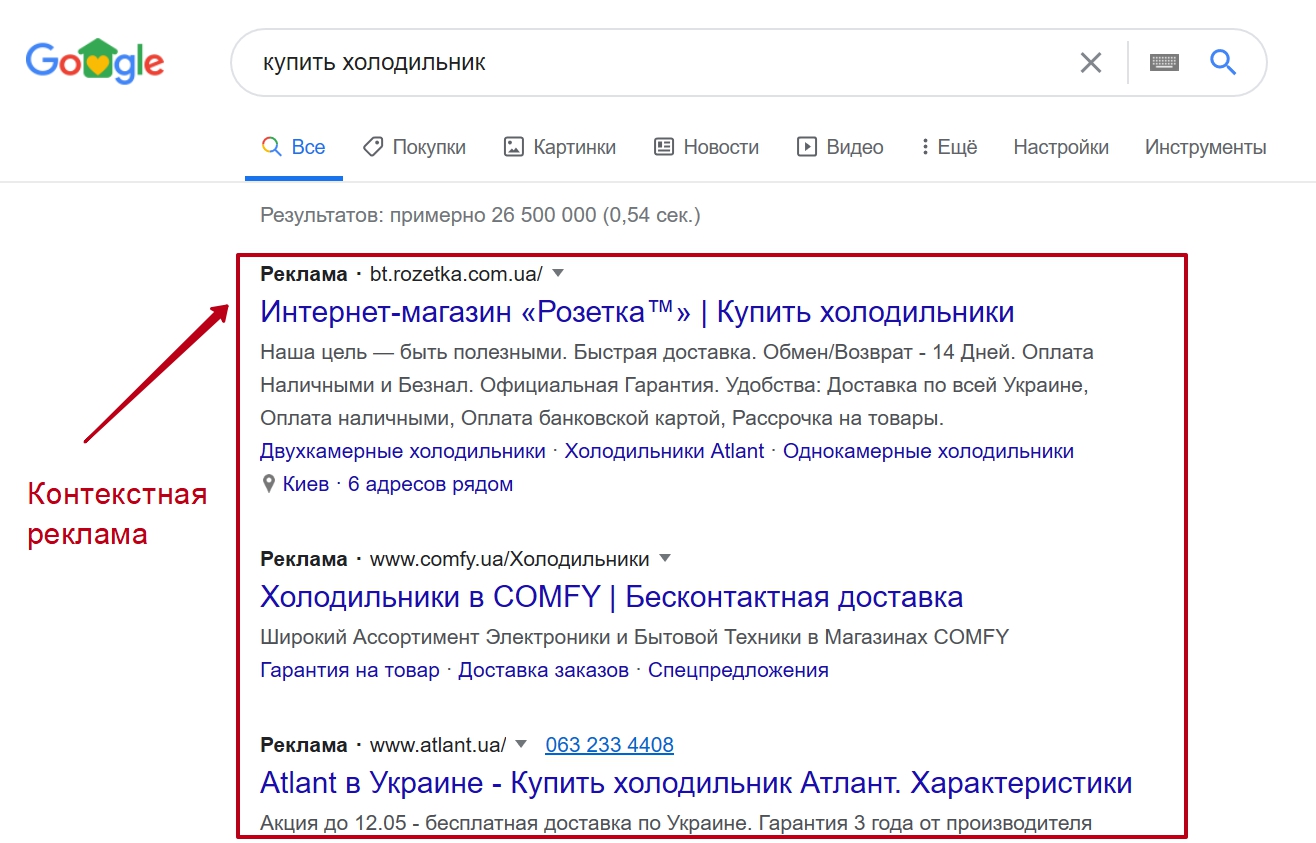
Let’s look at live examples. Say you open Google and type “buy refrigerator”. At the top, above the regular results, 3-4 links with the label “Ad” will appear — this is classic search advertising. Electronics stores launch it to intercept customers right at the moment of search.
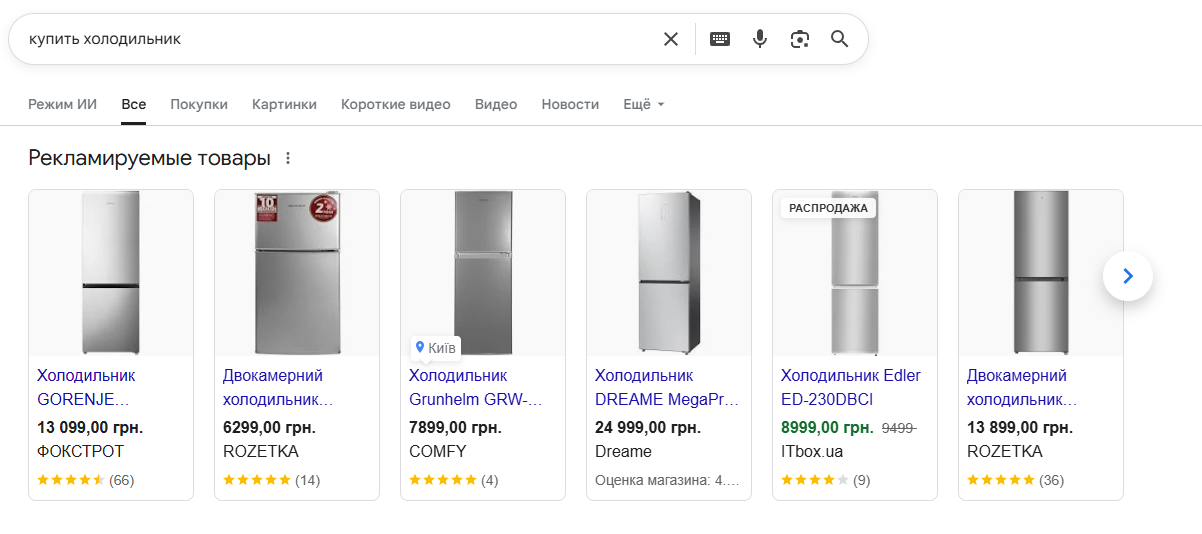
Next to or directly above the links, product cards with refrigerator photos are often visible: price, model name, seller. These are Google Shopping product ads — a more noticeable format for those who want to compare options immediately.
Moving on. You clicked, went to the store’s website, browsed the card of a liked model, maybe even added it to the cart. But didn’t buy — put it off to “think about it”. Then you open your favorite news website — and there it is, a banner with that very refrigerator, even with a 7% discount. Familiar? This is remarketing — that very case when advertising seems to “follow” you across the web.
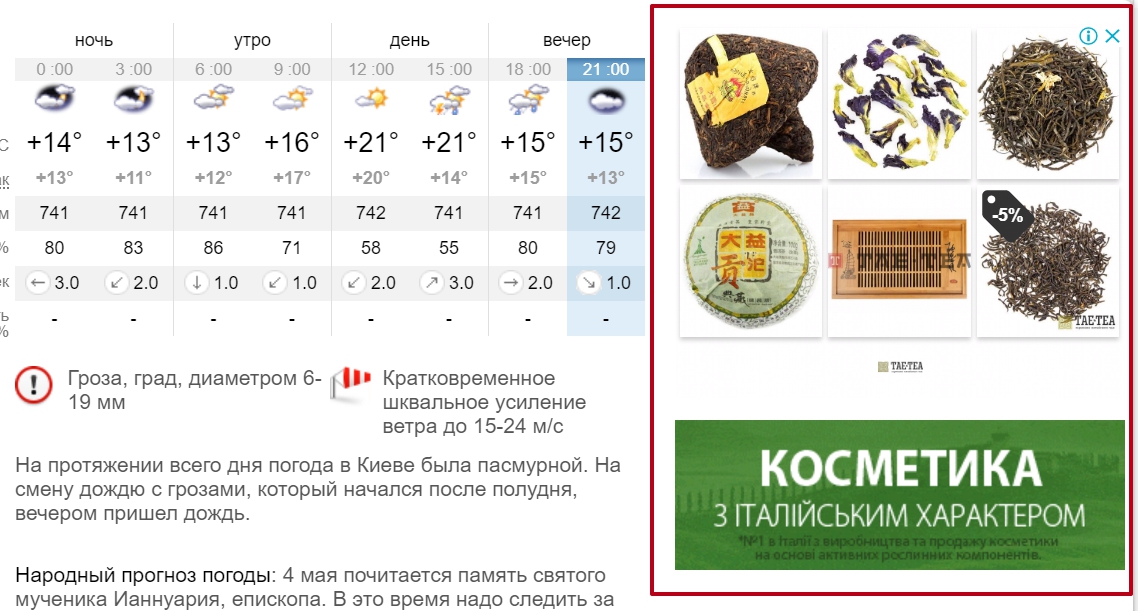
In the evening you open YouTube — to watch an unboxing or review. Before the video, a short ad from the refrigerator manufacturer starts. This is also contextual advertising, just in video format.

Tip: pay attention to the advertising you see yourself as a user. This is essentially free reconnaissance — you can spy on what competitors are doing, what wording and offers they use.
Objectives of contextual advertising
Depending on the campaign format and the advertiser’s approach, the objectives of contextual advertising can be very different — from the first sale to returning an old customer. If systematized, the main directions look roughly like this:
- Attracting traffic to the website. Basic task: get visitors who are potentially interested in the product. Suitable when the website is new and needs an audience.
- Increasing sales. The most common goal for commercial projects. Advertising brings users already ready to buy — you just need not to miss them.
- Lead generation. Applications, registrations, filled forms. Especially relevant for services with a long sales cycle — house and apartment sales, B2B sector, education.
- Remarketing and working with regular customers. Returning those who left and upselling to those who already bought.
- Promoting mobile applications. Installations, registrations, active users.
- Supporting brand awareness. Less common, but also happens — especially in display and video formats.
By the way, one campaign can solve several tasks in parallel. The main thing is to clearly understand what you’re measuring. If the goal is sales, don’t rejoice at high CTR without conversions.
Advantages of contextual advertising for business

About the merits of contextual advertising for business, a separate article could be written. But if highlighting the main points, these are:
- Speed of launch. With a ready website and understanding of the audience, the first campaign can be launched in a day. SEO gives results in months — contextual works almost immediately.
- Targeting precision. You choose who to show ads to: by geography (down to city district), age, interests, devices, time of day. No need to pay for those who aren’t interested.
- Budget transparency. You see every penny: how much was spent on impressions, how much on clicks, what the cost per conversion is. Metrics CPC, CTR, CPA are easy to track in the dashboard.
- Flexibility. Ad not working? Change the text, image, bid. Too expensive? Lower the budget. Order overflow? Put it on pause.
- Scalability. Got good results on a small budget — increase investments and scale the campaign. The main thing — don’t lose profitability.
- Detailed analytics. Integration with Google Analytics shows what users do when they land on the website: which pages they view, when they leave, what they buy. This is gold for optimization.
- Working at different funnel stages. From first touch through display — to returning departed customers through remarketing.
What are the disadvantages of contextual advertising?
There are no perfect tools, and contextual advertising is no exception here. Before investing budget, it’s worth learning about the weak sides.
- High cost in competitive niches. In topics like legal services, real estate, medicine, insurance, the cost per click can reach 200-500 UAH and higher. If the budget is small and competitors are big players with million-dollar investments, getting into the top of search results will be difficult.
- Effect disappears immediately after campaign stop. Unlike SEO, contextual advertising works only while you pay for it. With the budget ending, impressions disappear too.
- Requires constant attention and optimization. Launch a campaign and forget about it — a guaranteed way to drain money. Auction, user behavior, competitors, seasonality — everything changes. If you don’t track metrics and adjust settings at least once a week, efficiency drops.
- Not suitable for unformed demand. If you’re promoting a fundamentally new product that no one is searching for yet, contextual won’t help. First, you need to explain to the market why this thing is needed at all — and that’s a task for social media and other types of media.
- Risk of click fraud. Competitors or simply dishonest users may deliberately click on your ads to exhaust the budget. Google fights this automatically, but you can’t fully protect yourself.
- Complexity at the start. The Google Ads interface is not the most user-friendly for beginners. Without basic knowledge, it’s easy to set up a campaign incorrectly — broad match keywords without negative words, wrong targeting, unsuitable bidding strategy. Result — wasted money.
What to do about this? Don’t perceive the disadvantages as a reason to refuse contextual advertising. This is rather a reminder that the tool requires preparation and regular control. With a competent approach, the minuses become manageable.
Main types of advertising campaigns
The specific type of contextual advertising determines where it is shown and in what format. Let’s go through them in order — each format has its own logic and strengths.
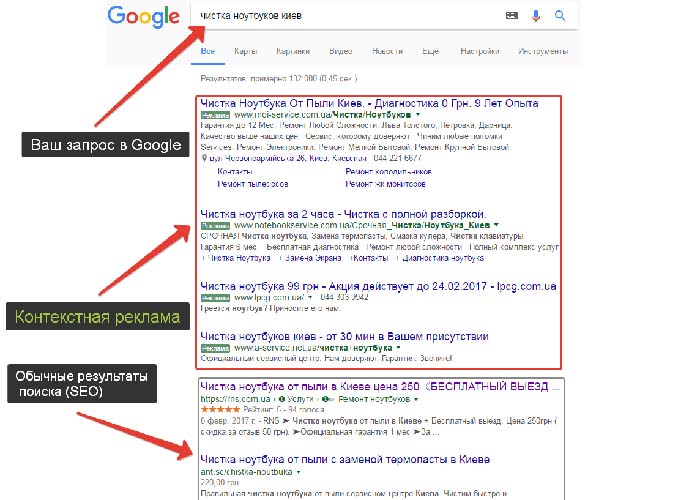
The most classic and recognizable format. The ad appears directly in Google search results, usually — above or below the organic results.
Looks like a regular link with a headline, description, and URL, but with an “Ad” (or “Sponsored”) label. Designed for hot demand: the client has already formulated a query, and your task is to get into their field of vision with the right offer.
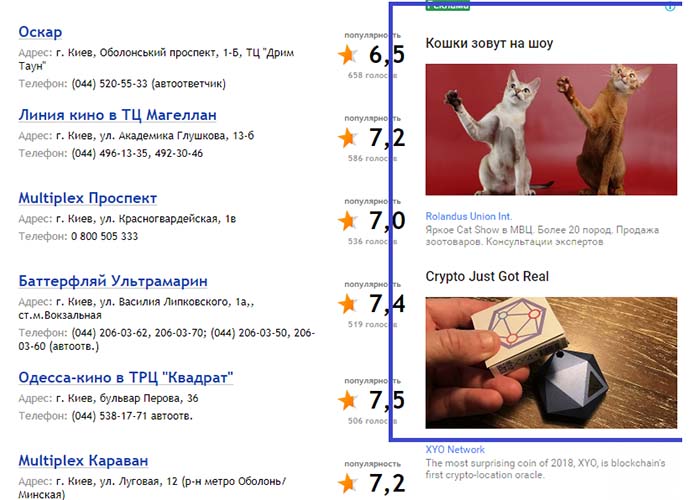
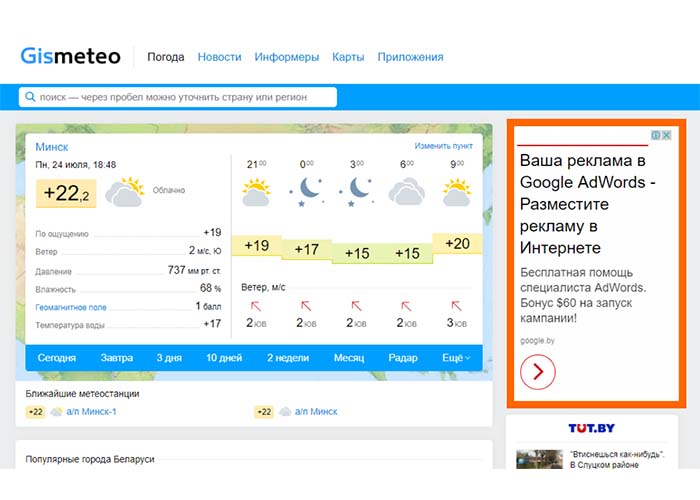
This is the display of ads on Google partner sites that are part of the contextual-media network. Many platforms fall here: news sites, personal blogs, thematic forums, video hosting like YouTube, mail service Gmail, mobile applications.
Formats — display banners, images with text, responsive ads. This advertising is good for building awareness and working with those who aren’t ready to buy yet but are generally interested in the topic.
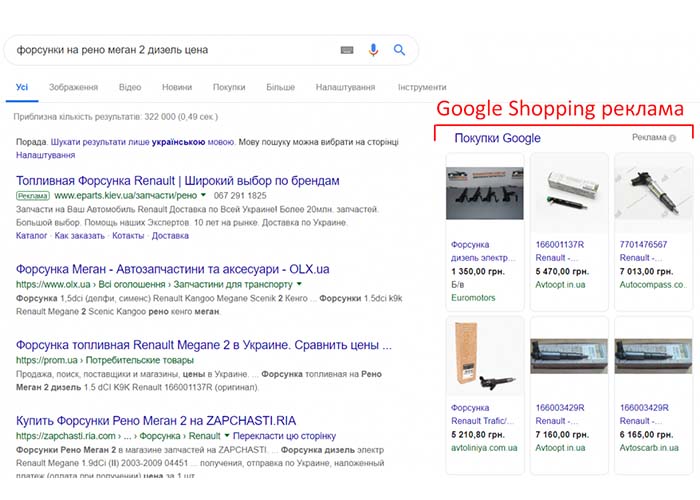
If you have an online store — you can’t do without this format. Google Shopping shows product cards with photos, prices, and store names directly in search. The user sees several offers at once and compares them.
To launch such advertising, you need Merchant Center and a product feed — this is a file with the entire assortment, prices, links, and characteristics.
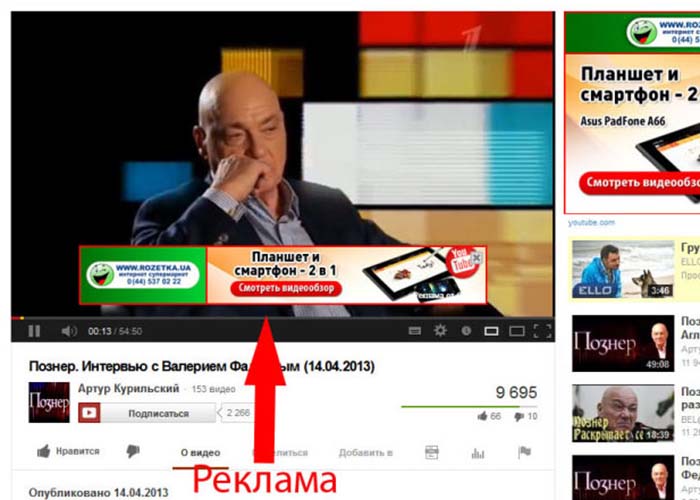
Ads shown on YouTube — before, during, or after videos. There are skippable ones (can be closed after 5 seconds) and non-skippable. A good format for brand tasks, demonstrating complex products, emotional engagement.
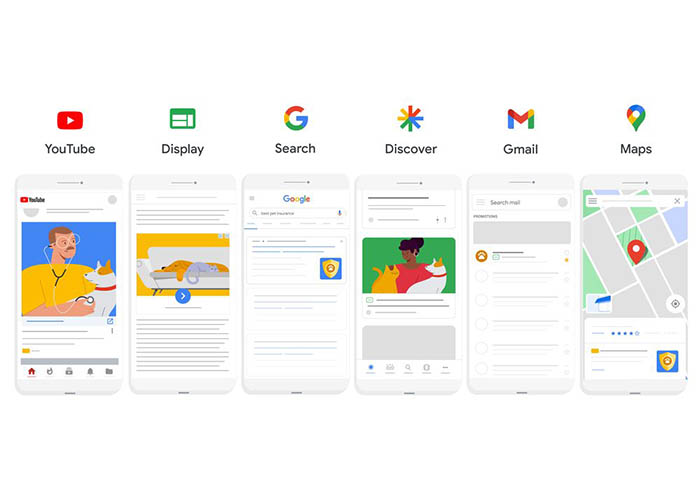
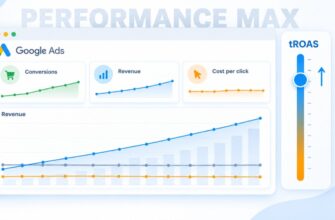
A relatively new but already extremely popular format. Performance Max is an automated advertising campaign that itself shows your ads across all Google channels.
The advertiser uploads a set of assets (texts, photos, videos), specifies the goal and budget — and the algorithm itself decides who, where, and in what format to show the advertising. Works on machine learning and often gives lower cost per conversion with proper setup.
Technically, remarketing is not a separate type of campaign but rather a targeting setting. Ads are shown to people who have already been on the website but left without completing the target action. The dynamic version of remarketing goes even further: the user sees exactly those products they were browsing.
By the way, the average CTR of remarketing campaigns in e-commerce is noticeably higher than regular ones. Logical — you’re addressing people who already know about your store.
Types of contextual advertising (ad formats)
If looking not at the campaign variety but at the format of the ad itself, among contextual advertising types you can distinguish:
- Text ads — headline, description, link. Used in search.
- Graphic (banner) — images with text for partner sites.
- Responsive — the system itself combines uploaded elements, adapting to the placement location.
- Video ads — videos of different lengths for YouTube.
- Product — cards with photos, price, and description.
Which format to choose depends on the niche, goals, and budget. Often it’s most effective to combine several ad types within one strategy.
Who is contextual advertising suitable for?
Contextual advertising works well for businesses with a clear, in-demand product and average check size. These can be online stores, services (repairs, medicine, education, lawyers), delivery, everyday consumer goods.
It’s more difficult with very narrow niches and the premium segment — the audience there is too small, and gathering sufficient click volume is problematic. And absolutely new, unfamiliar products are better “warmed up” first through display and social media, and only then connect search advertising.
Suppose you opened an online store of hiking goods. You have a website, assortment, competitive prices, and a clear target audience — tourists, fishermen, outdoor enthusiasts. Contextual advertising in this case will almost certainly give results: people google “two-person tent”, “sleeping bag to -10”, “trekking poles” every day, and your offer will hit at the right moment.
A completely different story — if you’re promoting conceptual handmade art at 50,000 UAH per piece. Search demand here is minimal, and the auction doesn’t make sense because there are almost no competitors. Here, completely different tools work better.
On which platforms does contextual advertising work?
In Ukraine, the situation is quite simple: the contextual advertising market is almost entirely held by Google and its ecosystem. There are a couple of alternatives, but they rather complement the picture than seriously compete. Let’s run through the main players.
Google Ads
The undisputed leader and main tool for most Ukrainian advertisers. Google Ads brings together all key formats: search ads, display network, campaigns on YouTube, Gmail, Maps, Discover feed, Shopping product campaigns, and universal Performance Max.
Inside the advertising dashboard, you can assemble a campaign of any complexity — from a couple of “quick and dirty” ads to serious strategies with automatic bids and audience segmentation. Plus full analytics, integration with Google Analytics, keyword planner, phrase competitiveness assessment — all in one place.
If someone in Ukraine says “contextual advertising”, they almost certainly mean Google Ads. The platform covers practically the entire online audience of the country: literally everyone who goes online uses Google search.
Microsoft Advertising (Bing Ads)
This is the alternative from Microsoft. Ads run in Bing search, on Yahoo, AOL, and also in the company’s own services — Outlook, MSN, and others.
The reach here is noticeably more modest than Google. But competition is lower, so clicks often come out cheaper. In Ukrainian realities, the platform is hardly used for the local market — it’s usually connected by those working on the USA or United Kingdom, where Bing has a noticeable share of search (because it’s built into Windows).
Contextual advertising in Apple Search Ads
If your product is a mobile application, it’s worth looking at Apple Search Ads. The platform works inside the App Store: the user enters a query in the store search, and your application appears in the first position with an “Ad” label. Very logical scenario — the person is already looking for something similar, you just need to be the first to catch them.
The channel is niche, not for everyone. But if you’re making an iOS application and want to attract users from the App Store, you essentially can’t do without it.
What should a beginner choose?
If you’re just entering paid traffic and promoting a business in Ukraine or foreign markets — choose Google Ads, you won’t go wrong. This is the most universal platform: huge Ukrainian-language community, tons of free guides, video tutorials, cases. The interface for starting is quite friendly, basic campaigns can be assembled without outside help.
And when you figure out your first campaigns, look at analytics and understand what and how to count — then you can connect additional channels for specific tasks. Bing — if you plan to drive traffic to the States. Apple Search Ads — if you have an iOS application and need users from the App Store.
How to launch your first contextual advertising campaign?
If, reading all this, you thought “should try” — here are several practical steps to not drain the budget on the first day:
- Define the goal. Without a clear understanding of what you want to get (leads, sales, calls, registrations), any advertising turns into a waste of money.
- Collect keywords. Use the Google Keyword Planner tool, look at competitors, think about how customers formulate queries. And immediately compile a list of negative words — this will save a lot of money.
- Prepare the landing page. The advertising can be genius, but if the website loads for 10 seconds and there’s no clear order button — customers will leave. Test convenience yourself or through acquaintances.
- Start with a small budget. Launch a campaign for 2-3 thousand hryvnias, see how it works, correct weak spots. Only then scale.
- Set up analytics. Without Google Analytics and conversion tracking, you’ll be shooting in the dark. Connect the counter before setting up the first campaign.
And finally — don’t expect a miracle immediately. Contextual advertising requires optimization: the first two-three weeks you collect information, then start turning off ineffective keywords, adjusting bids, testing new creatives. This is a normal process — not a campaign but a living tool that needs to be tuned to your business.