Every time you type “buy sneakers Kyiv” into the search bar and see several links marked “Ad,” know—this is all the work of Google Ads. Not magic or coincidence, but a massive advertising system that conducts millions of auctions every second, deciding whose ad to show to a specific person.
Google Ads is a service that businesses use to display ads in Google Search, on YouTube, in Gmail, and on hundreds of thousands of partner websites. Below we’ll break everything down in order: how the service works, what the cost of advertising is, and why almost everyone with a website uses this promotion method.
What is Google Ads in simple terms?
Imagine a regular auction—but instead of paintings and antiques, positions in search results are being sold here. Advertisers (business owners or marketers) bid on keywords they want to display their ads for. Someone is willing to pay 5 UAH for the query “pizza delivery,” while someone else pays 50 UAH for “divorce lawyer.” The more complex the niche and the higher the competition—the more expensive the click.
Google Ads (formerly Google AdWords) is a tool that helps you get in front of a person exactly when they are looking for your product or service. Not “sometime later,” not “maybe they’ll be interested,” but right now, when they have a specific need.
Example. Let’s say you’ve opened a small yoga studio in Odesa. Without advertising, only neighbors and those who see the sign will find out about it. Using Google Ads, you set up ads for “yoga Odesa,” “yoga studio,” “yoga classes for beginners”—and within a couple of hours, you start receiving calls.
The system itself launched back in 2000 under the name Google AdWords. In 2018, it was renamed, but along with the name, the working principles changed: new campaign types appeared, the audience expanded, and automatic strategies were added. But the essence remained the same—ads are shown to those who are potentially interested.
How does the Google Ads service work?
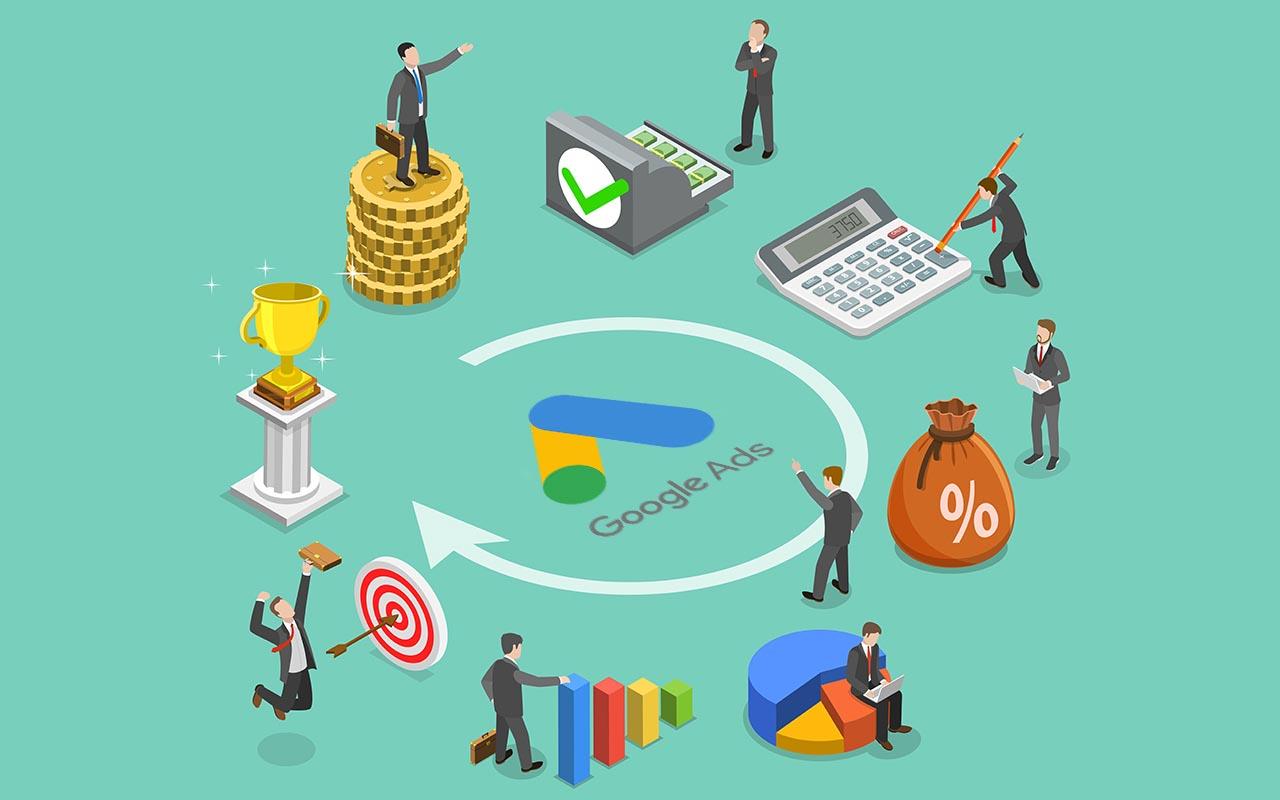
To understand how Google AdWords works, you need to grasp two things: the payment model and the auction mechanics.
PPC Model (pay for results)
The platform operates on the PPC (pay per click) scheme—in translation, “pay per click.” Money is deducted only at the moment when a user clicks on the ad and follows the link. The cost of the click itself is called CPC (cost per click).
This fundamentally differs from traditional TV or billboard advertising, where you pay for “potential reach,” and it doesn’t matter if no one watches the commercial.
How does the Google AdWords auction work?
This is where it gets interesting. When a user enters a query into Google, the system conducts an auction of bids among advertisers competing to show for that query in fractions of a second. Winners are determined by two main parameters:
- Maximum bid—how much you are willing to pay per click.
- Quality Score—how relevant the ad is to the search query.
The formula simplified looks like this: ad rank = bid × quality score. And this explains an interesting paradox—an advertiser with a lower bid gets a higher position than one who pays more. Simply because their ad better answers the user’s query.
Important to understand: Google is interested in showing users useful ads. If an ad doesn’t get clicks and people don’t like it, the system won’t show it in top positions even for big money.
Where are ads displayed?
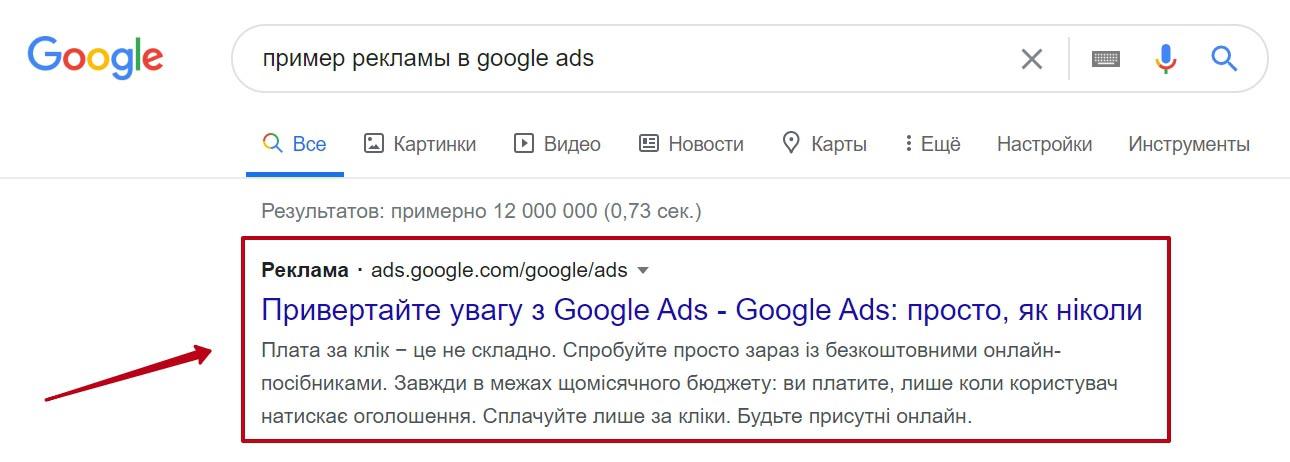
After winning the auction, the advertising message appears in the search results (SERP)—usually at the top or bottom of the page:
Ads can be shown:
- on YouTube before videos or as banners;
- in Gmail—as sponsored emails;
- on Google partner websites (this is called GDN—Google Display Network);
- in mobile apps;
- in Google Maps;
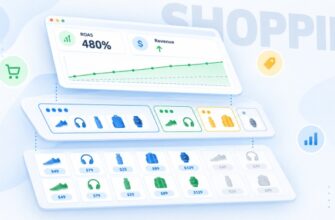
- in Google Shopping—a separate product feed where you can see photos, prices, and store names.
By the way, Google Shopping deserves a few words of its own. This is a special format for online stores: ads are shown with a product image and price right in search, in the “Shopping” tab, or above the main results. The format is set up through integration with Merchant Center—product data is uploaded there as a feed, and then the system forms ads automatically. For e-commerce, this is often the most profitable channel—the user makes a purchase decision even before visiting the website.
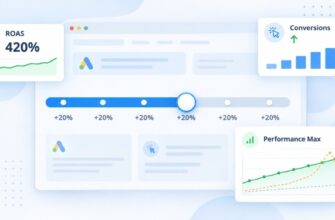
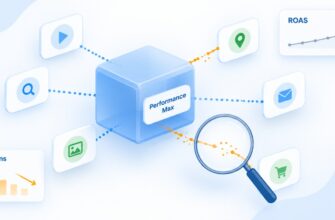
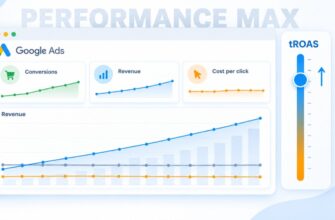
A separate category is smart AI-based campaigns, like Performance Max. Here you don’t choose platforms: the system uses machine learning to distribute ads across all Google channels (search, GDN, YouTube, Gmail, shopping campaigns, Discover) and optimizes them for set goals—usually conversions. Performance Max works well when the account already has accumulated conversion statistics, and poorly—for new accounts with little data.
Advantages of advertising in Google Ads
Google Ads is the largest advertising network in the world, and this gives serious advantages to those who know how to work with it. Among the main benefits:
- Huge reach. Billions of people go through Google daily. Add YouTube with two billion active users per month, Gmail, Maps, and hundreds of thousands of partner websites—and it turns out that almost anyone with internet access is within reach.
- Pinpoint targeting. You can show ads not “to everyone,” but to a specific audience. For example, women aged 25–35 living in Kyiv who are interested in fitness and are currently looking for sportswear. Such precision is impossible with outdoor advertising or TV. This is what makes Google Ads so effective for small businesses with limited budgets—you don’t overpay for “random” viewers.
- Flexible budget. No minimum threshold. You can start with 100 UAH per day or 100,000—depending on capabilities and goals. If the budget runs out, the campaign simply pauses until the next day. No long contracts, no obligations to a manager like in traditional advertising agencies.
- Transparent analytics. You can see literally everything: impressions, clicks, which query brought a client, how long they spent on the website, whether they placed an order. Integration with Google Analytics gives even more data—user paths, page behavior, exit points. Based on these numbers, you can make decisions rather than act blindly as often happens with offline advertising.
- Quick start. A search campaign can be launched in a day. In the morning you gathered keywords, wrote texts, set up targeting—by evening clicks are already coming. This distinguishes such advertising from SEO, where you have to wait months for results, or from billboard placement, where weeks pass between the contract and the first display.
- Payment. You pay only for real clicks. If the ad was shown 10,000 times but no one clicked—you haven’t spent a penny. This fundamentally differs from old models where you pay “for potential reach” with no guarantee of response.
- Full control. At any moment you can stop the campaign, change the text, redistribute the budget, add new keywords. No need to wait for “the next issue of the magazine”—all changes take effect within minutes.
- Ability to test hypotheses. Not sure which offer will work better—”free delivery” or “10% discount”? Launch both variants in parallel, look at CTR and conversions—a week later you’ll have an answer based on real data, not intuition.
- Remarketing. A special advantage of Google Ads is the ability to retarget those who already visited the website but didn’t buy anything. A person looked at sneakers, left—and then sees them in banners on other websites. According to statistics, remarketing converts several times better than cold traffic.
What are the disadvantages of working with Google AdWords?
Despite all the advantages, I’ll be honest—Google Ads isn’t for everyone and not always. Here are real disadvantages that are rarely mentioned in promotional articles:
- Requires constant maintenance. Launch a campaign and forget—this is the path to a wasted budget. Ads need regular checking: which keywords work, which don’t, whether irrelevant queries have appeared, what the CTR is, how the cost per conversion is changing. Minimum—check the account once a week. Ideally—daily in the first month, then 2–3 times a week.
- High competition in popular niches. Lawyers, dentists, windows, loans, real estate—here a click can cost 100, 200, or even 500 UAH. If the check is small, such bids may simply be unprofitable. Unfortunately, in the most lucrative topics, click prices rise every year, and it becomes increasingly difficult to outbid competitors.
- Complex interface. Google Ads is far from the most user-friendly platform for beginners. Dozens of settings, match types, bidding strategies, ad extensions—without preparation, it’s easy to get lost. And the main danger isn’t that you won’t set anything up, but that you’ll set it up wrong and burn through the budget in a couple of days. A known story: a person launches a campaign with broad match for “buy phone,” then wonders why money went for clicks on queries like “phone button not working” or “repair Samsung phone.”
- Topic restrictions. Alcohol, tobacco, gambling, weapons, esotericism, pharmaceuticals—all of this is either completely prohibited or heavily restricted. Sometimes ads are blocked even for quite harmless products—for example, dietary supplements or certain medical services. And appeals to moderation can take days.
- Dependence on quality score. If the website is old and slow, with a poor mobile version—no budget will help. Google simply won’t show the ad high, or will, but at a crazy price. It turns out that before launching ads, you need to invest in the website—and this is additional time and money.
- Competition. Click cost isn’t fixed—it depends on how many competitors there are and what their bids are right now. Today the click cost 15 UAH, tomorrow—30 UAH, because a new major advertiser entered the niche. Predicting expenses over the long term can be difficult.
- “Learning” effect of algorithms. Modern Google Ads strategies (especially Performance Max and smart bidding) require time to learn. In the first 2-4 weeks, results may be unstable, and many beginners don’t endure it, stop the campaign, and leave. Although if they held on a little longer—they’d see normal numbers.
- Hidden costs. Besides the advertising budget itself, you’ll need: a proper website, analytics (at least GA4 and goal setup), possibly—a copywriter for ad texts and a designer for GDN banners. And most likely, a specialist to manage it all. In total, “advertising in Google Ads” costs more than it seems at first glance.
Honestly, Google Ads isn’t needed by every business. If you have a narrow B2B niche with a dozen clients in the country, or a product that no one ever searches for—perhaps cold calls, exhibitions, or social media targeting will be more effective. Google Ads works well where there is real search demand.
How does Google understand who to show ads to?
The heart of any search campaign is keywords. They determine which queries the ad will be shown for. You can also influence attracting the right target audience through targeting settings.
Semantic core
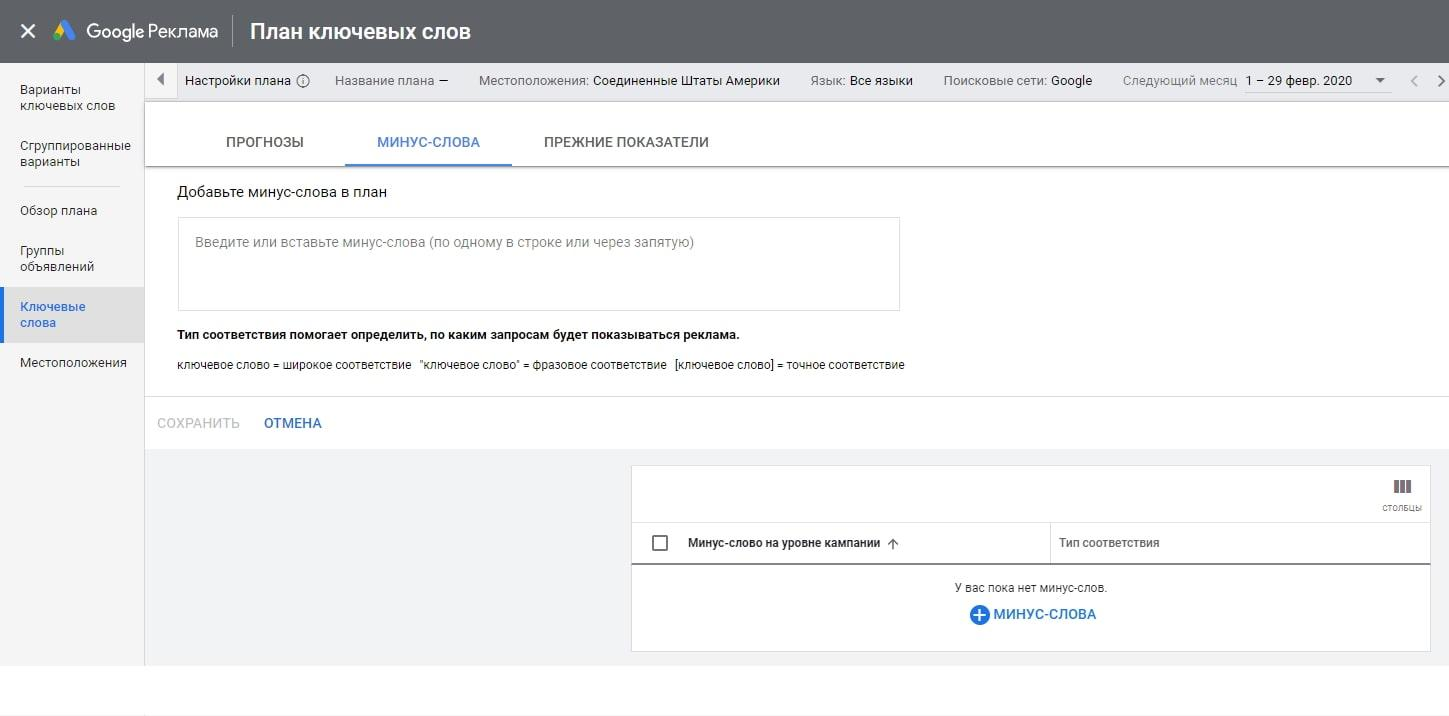
You can select words manually, but it’s more convenient to use the “Keyword Planner”—a free tool inside Google Ads. It shows:
- how many times per month people search for a specific query;
- approximate click cost;
- competition level;
- ideas for related queries you might not have thought of.
For example, if you sell bicycles in Kyiv, the planner will suggest that besides the obvious “buy bicycle Kyiv,” people also search for “mountain bike inexpensive,” “bicycle with delivery,” “folding bike adult”—and each of these queries can become a separate advertising direction.
Targeting
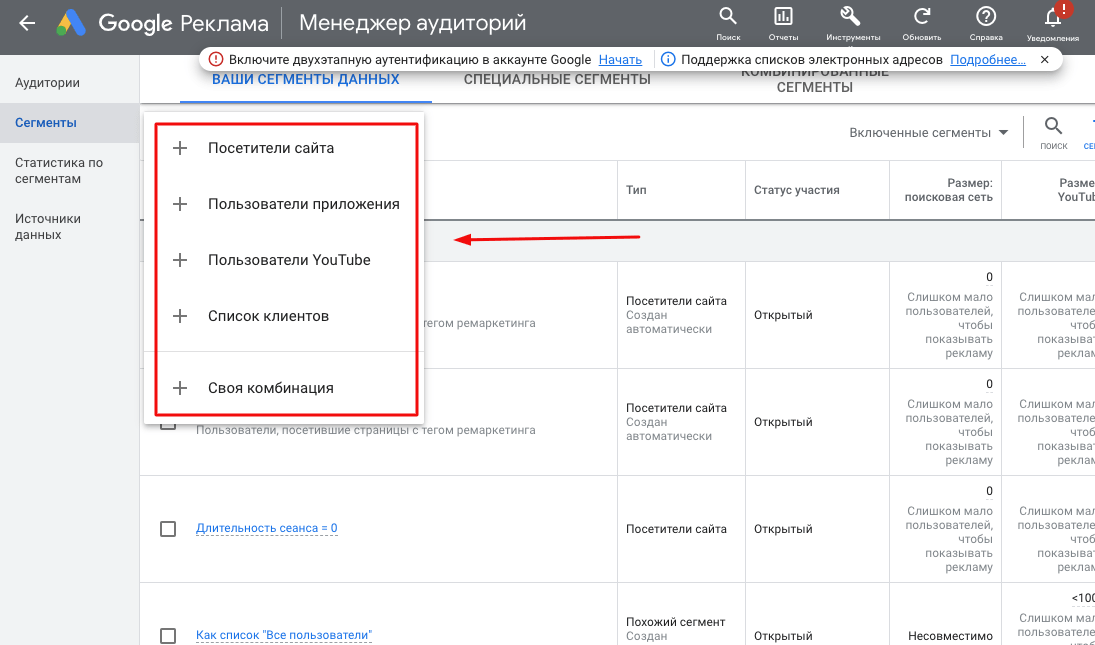
Besides keywords, Google Ads uses targeting to manage ad displays (it allows showing ads to a specific audience). You can choose:
- age and gender;
- interests (for example, “travel lovers” or “young parents”);
- online behavior;
- marital status and income;
- devices users access from.
Geotargeting is a separate important feature. You can show ads only to residents of a specific city, district, or even street. A café in Lviv has no point advertising in Kharkiv—geotargeting settings save budget and bring real clients.
For example: a dental clinic in the Pechersk district of Kyiv sets geotargeting to a 3 km radius from its address. Ads are seen only by those who live or work nearby—and their chance of coming to the clinic is much higher than someone from the other end of the city.
What is the cost of advertising in Google Ads?
The honest answer—the cost depends on the niche, competition, and geolocation. In some fields, a click costs 2-5 UAH, in others—100 UAH and above.
Click cost is influenced by:
- niche competitiveness (legal, medical, financial services are the most expensive);
- region (Kyiv and large cities are more expensive than villages and district centers);
- time of day and day of the week;
- quality score of ads;
- seasonality (New Year gifts or summer tires—price peaks).
There is no minimum entry threshold in Google Ads. You can launch a campaign with as little as 50 UAH per day—but realistically testing something will require a budget of 3000-5000 UAH per month for small niches and from 15,000-20,000 UAH for competitive topics.
Important! Don’t try to save with severely lowered bids—the system simply won’t show the ad, and the budget won’t be spent. Better set an adequate bid and collect data for optimization.
Why does the cost of advertising in Google Ads differ for different advertisers?
We’ve already mentioned quality score—but this topic deserves a separate discussion, because it directly determines how much you’ll pay per click.
Quality Score evaluates ads on a 10-point scale and consists of three components:
- Expected CTR (click-through rate)—how likely it is that a user will click on the ad;
- Ad relevance to query—whether the text matches what the user is searching for;
- Landing page quality—how convenient, fast, and useful the website is for visitors.
CTR is calculated simply: number of clicks ÷ number of impressions × 100%. If the ad was shown 1000 times and clicked 30 times—the CTR will be 3%.
The higher the quality score, the less you pay for each click. This explains why two advertisers with the same bids can get completely different results.
Real example. Advertiser A is willing to pay 30 UAH per click and has a quality score of 7. Advertiser B bids 20 UAH, but their score is 9. In the end, the second actually pays 8 UAH per click and ranks higher than the first. That’s how the difference in ad quality saves tens of thousands of hryvnias per month.
To improve quality score:
- Write ads that exactly answer the query—if someone is looking for “inexpensive laptop,” don’t invite them to “buy premium MacBook.”
- Divide keywords into thematic groups. Don’t dump 200 queries into one ad group.
- Work on the website: loading speed, mobile convenience, clear structure.
- Add ad extensions—phones, links, additional text.
- Use negative keywords to cut off irrelevant impressions.
Where to start with the Google Ads service?
If you’re just thinking about trying advertising in Google Ads, here’s an approximate plan:
- Create a Google Ads account and link a payment method;
- Install Google Tag Manager on your website and set up conversion tracking;
- Collect keywords through Keyword Planner—start with 30-50 most relevant queries;
- Divide keywords into thematic groups of 5-15 phrases;
- Write at least 2-3 ad variants for each group—the system will find the best one itself;
- Set up geotargeting and ad schedule;
- Launch the campaign with a small daily budget;
- After 5-7 days, analyze results and start optimization.
Don’t expect perfect results in the first week. Google algorithms need time to “learn” on your data and understand who exactly to show ads to for the best result. Usually normal statistics accumulate 2-4 weeks after launch.
And one more thing. If the budget is limited and there’s no time to figure it out—there’s sense in contacting a contextual advertising specialist. A good PPC specialist will pay for their services through lower click costs and higher conversion. And if you want to figure it out yourself—start with small budgets, read Google’s help, and test. This is the normal path that everyone goes through.