Hello! My name is Yana Lyashenko, and I am a Google logistician. I am continuing my series of articles on confirming your identity as an advertiser in your advertising account. Today, we will look at how to complete this procedure if you are a sole proprietor.
Why does Google require advertisers to verify their identity?
Yes, friends. Why are you receiving a request to verify the advertiser’s identity? And why did this happen so soon after creating the account—isn’t it too early? This question is not for me, it’s for Google.
Why does it need this confirmation? It’s simple: the system wants to understand who is sitting on the other side of the screen, who is clicking the “Pay” button and managing the advertising budget. The ultimate goal is to weed out gray advertisers, scammers, those who “cheat” with VAT or violate the rules.
We won’t delve into Google’s true motives. Everyone will find their own version, and it’s not certain that it will be correct. Perhaps the company is simply collecting data for its own purposes. After all, it is a monopolist that accumulates information about users. There is no real choice — we have to play by its rules.
Now let’s get down to business. If you have received a request to verify your advertiser status in Google Ads, you have already struggled, you have been blocked, the system cannot verify you, you constantly receive rejections, and you have been struggling with this task for more than 30 days without success — let’s figure out what typical mistakes you are making.
If you open Google’s official help page, it mainly describes the process for legal entities. But the procedure for sole proprietors is very similar. Now I’ll show you how it works in practice.
Where to start with advertiser identity verification?
If you have decided to undergo advertiser verification as an individual entrepreneur—for accounting purposes or other reasons—the first thing you need to do is get your registration documents. You definitely have them. At the same time, open a payment profile in your advertising account. That is where the main settings that need to be checked are located.
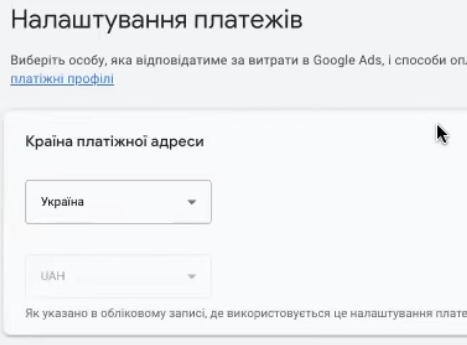
Country of payment address
Let’s start with the basics. The country of the payment address must match your registration documents. Since you are registered as an entrepreneur in Ukraine, you must specify Ukraine. There are no other options.
Account type
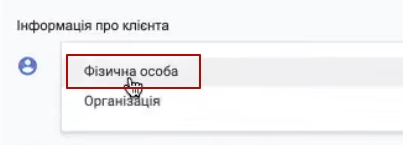
The second critical point is the account type. Here, Google offers only two options: “Individual” and “Organization.” For sole proprietors, select “Individual.”
This is one of the most common mistakes: entrepreneurs put “Organization” thinking that since they run a business, it means it’s about them. No. “Organization” is for legal entities: LLCs, LLCs, and similar structures. Sole proprietorships and legal entities are fundamentally different business entities. Don’t confuse them.
Tax status
The next setting is tax status. It should say “Private entrepreneur” rather than “Individual.”
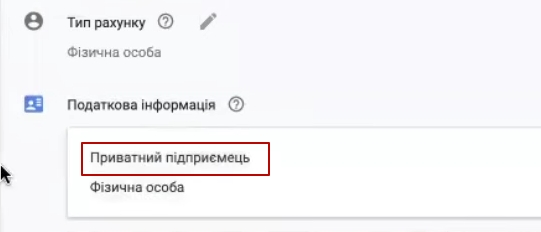
What is the difference? A “natural person” is a hypothetical Vasya Pupkin or Masha Mashechkina who does not engage in any economic activity and is not registered anywhere. You, on the other hand, are an entrepreneur with official status.
This is the second common mistake. If your profile says “Individual” instead of “Sole Proprietor,” you will need to submit a request to change your payment settings. Without this, you will not pass Google Ads advertiser verification.
How do I request a change to my payment settings?
Google Ads provides a special form for this purpose. There are several ways to find it:
- Directly in the advertising account through the corresponding section;
- Via the direct link “Request to change organization”;
- Through customer support: open the help section, find the “Contact us” button, and write something like: “I want to change my payment settings from [current option] to [desired option].”
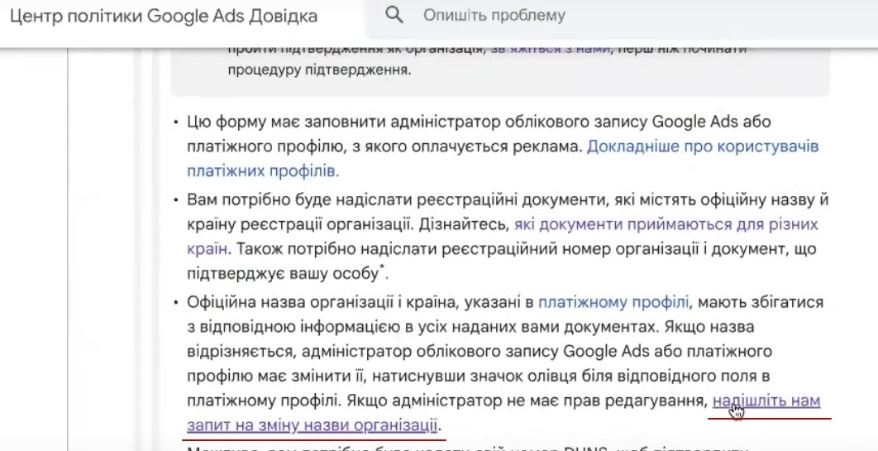
After submitting your request, you will be sent a form to fill out. The data will be edited on Google’s side, and only then can you submit documents for advertiser verification. Remember the combination: account type — “Individual,” tax status — “Private entrepreneur.”
Individual identification number
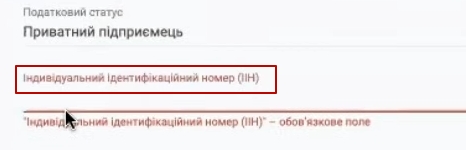
Enter your real IIN in the appropriate field. Not a made-up or random set of numbers, but the one specified in your registration documents. Sometimes people enter whatever comes to mind, which is a sure way to have your advertiser identity verification rejected.
VAT payer status
Answer honestly: Are you a VAT payer or not? If you accidentally indicated that you are a payer, even though you are not, submit another request to change your registration details in your Google Ads payment profile. This is mandatory, otherwise you will not pass verification.

Phone number
The phone number must match your registration details. Most importantly, it must be a working number. Do not enter fake numbers. Why is this important? Google may call you to verify that you are a real person. Therefore, please provide a contact number where you can actually be reached.
How to correctly indicate your first name, last name, and address?
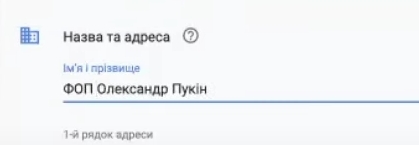
Let’s move on to the “First Name” and “Last Name” fields. If you are a sole proprietor, enter the information exactly as it appears on your registration certificate. No quotation marks, no abbreviations, no creative interpretations — word for word.
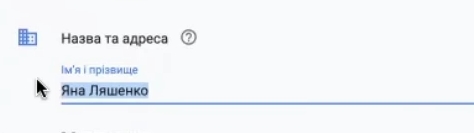
A common mistake: your profile simply says “Alexander,” but your documents say “Pupkin Oleksandr Mykolayovych.” Or worse: you listed “Ksyusha,” but your passport says “Oksana Olegivna.” Such discrepancies are a surefire way to get your Google Ads advertiser verification denied.
The rule is simple: the information in your payment profile must match your documents down to the last letter. If something is wrong there now, submit a request for change, correct it, and only then send the documents for verification.
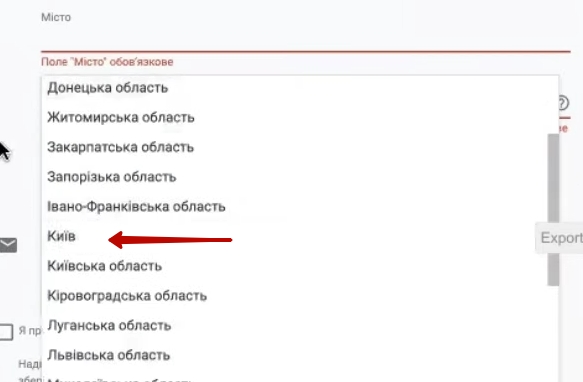
We also indicate the address according to the registration certificate. An important detail for Kyiv residents: Kyiv is not the Kyiv region. It is a separate region. Therefore, in the “City” field, we write “Kyiv,” and in the “Region” field, we also write “Kyiv.” Yes, it will be repeated, and that is normal. The postal code is mandatory.
What documents do I need to submit for verification?
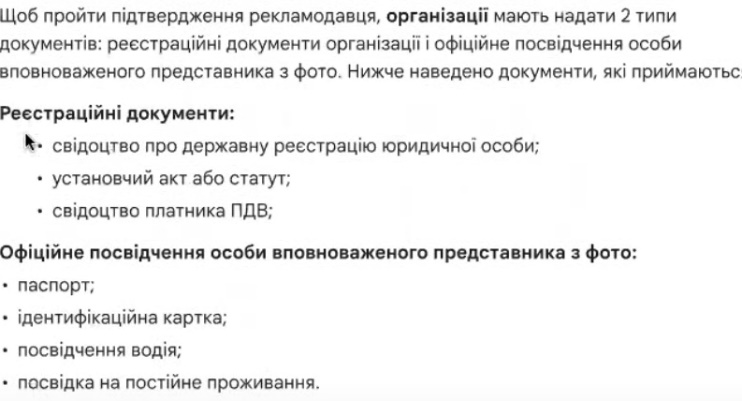
To confirm the advertiser’s identity as an individual entrepreneur, the following package will be required:
- Certificate of state registration of an individual entrepreneur (mandatory).
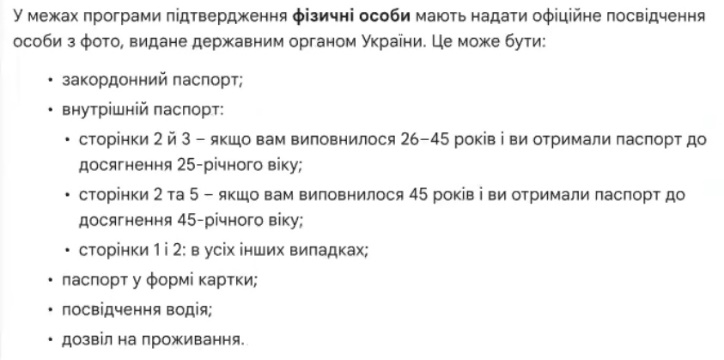
- Ukrainian passport. Which pages? Google provides an explanation, but I recommend submitting all completed pages. This is especially important if you are over 45 years old — include everything so that the inspectors have a complete picture.
- TIN (tax identification number).
- Driver’s license — if available, attach as an additional document.
- Permanent residence permit or residence permit — for those who have them.
Why is the list so long? Most likely, someone somewhere seriously messed up with accounts, and now Google is tightening requirements for everyone. I wouldn’t be surprised if they soon start asking for military ID and blood tests. Just kidding, of course. But there really are a lot of documents — just accept it and get everything together in advance.
Submitting a request with documents
Once all the data in the payment profile has been verified, we can proceed to sending the documents. There is one important point to note here: the request must be submitted from the email address that has administrative access to the payment profile.
Do not confuse this with regular admin access to your advertising account, which is granted through the “Access and Security” section. You need the email address that was originally used to create your payment profile. Without it, nothing will work — the request will simply not go through.
How should I name files with scans?
Attach the registration documents — and here is my urgent advice: name the files clearly. Do not leave standard names such as “scan014544.pdf” or “IMG_2847.jpg.”
Examples of good names:
- “Certificate_of_registration_of_individual_entrepreneur_Pupkin_account_123-456-7890.pdf”;
- “Passport_Pupkin_Alexander_pages_1-4.pdf”;
- “ITN_Pupkin_account_123-456-7890.jpg”.
Why is this important? When files are named randomly, something can easily get lost or confused on the part of the verifiers. You receive a rejection with the wording “the data does not match,” and you sit there racking your brains — what exactly is wrong if everything has been double-checked ten times? Remember: Google moderators are like the tax inspectorate. They are not on your side and will not look into your “scans” with numbers.
You can compile all documents into a single PDF file if that is more convenient. The main thing is to give it an informative name.
Before clicking “Send,” go through the checklist:
- The name of the sole proprietorship is stated exactly as it appears on the registration certificate.
- The country must match your registration documents. If you are registered as an individual entrepreneur in Ukraine, but your profile indicates a different country, you will not pass the advertiser verification process.
- Leave the DUNS field blank — it is not required for sole proprietors.
After sending, you just have to wait for feedback from Google.
Verification of commercial activities by Google
Another issue that may arise is a request to verify commercial activities. This is a separate matter and must be considered on a case-by-case basis.
What is usually requested:
- Contracts with suppliers of goods or services;
- Quality or compliance certificates for products;
- Documents confirming your right to sell specific goods;
- Proof of ownership of the website (e.g., access to the domain or hosting).
When does this request come up most often?
This usually occurs in several situations:
- Your website has already been flagged in several advertising accounts — Google suspects something is wrong;
- Questions about the product range: perhaps similar products were sold by fraudsters, and now the system is playing it safe;
- There are issues with trademarks — for example, you sell branded goods but cannot prove your right to do so;
- If you work as a PPC specialist and manage several client accounts, then your clients may receive similar requests.
In any case, if you receive a Google Ads commercial activity review request, don’t panic. Gather all the documents that confirm the legality of your business and send them for review. Each case is unique, so there is no universal solution here — see what the system requests and prepare the appropriate confirmations.
Document processing times and what to do if they are delayed?
Now about the timing. According to official information, Google Ads document verification takes 5-7 business days. That’s business days, not calendar days — weekends and holidays don’t count.
But what should you do if two or three weeks have passed and you still haven’t received a response? In this case, I recommend filing a complaint about the quality of service. There is a special form for this — you can find the link in Google Help.
Don’t write things like, “Well, when will I get my answer?” or “How long do I have to wait?” Messages like these don’t solve anything. Instead, compose a structured request.
Example of a well-written complaint:
Good afternoon. I am submitting a complaint about the speed of service. The documents confirming the advertiser for the individual entrepreneur were sent on [date]. According to your information (see attached screenshot), the review period is 5-7 business days. As of today, 15 days have passed, and the status of the application is unknown. All this time, I have been unable to run ads and am losing profit. Your company is also losing revenue because it is not earning money from my advertising campaigns. Please provide feedback as soon as possible.”
See the difference? Arguments, specifics, reference to official deadlines. Such an appeal is perceived quite differently.
Let’s be realistic. Google is a huge corporation with billions in revenue. They earn around $100 billion a year from advertising alone. But at the same time, advertiser verification and Merchant Center checks are handled by regular employees on an hourly wage. It’s routine work with a huge flow of applications. Some people approach it responsibly, others not so much.
So don’t hesitate to file complaints if they are justified. Google earns enough to invest in quality customer support. Especially when the delay is not your fault. Structured, reasoned appeals usually speed up the process. At least, situations where there is no response for two or three months are rare.
Conclusion
That’s all you need to know to pass Google Ads advertiser verification without any problems. Let’s put everything together in a final checklist:
- Country — matches registration documents.
- Account type — specified as “Individual,” not “Organization.”
- Tax status — “Private entrepreneur” selected.
- IIN — the actual identification number is entered.
- VAT payer status — correct.
- The phone number is a work number where you can be reached.
- The name of the sole proprietorship must be exactly as it appears on the registration certificate, without any fancy names such as “Elit Dim” in Latin letters. Even Google writes “TOV Google Ukraine” in its documents, and you should stick to the official spelling.
- The address—city, region, and postal code—matches the registration data.
Gather all the necessary documents at once: registration certificate, passport (all completed pages), TIN, driver’s license if available. The more documents you provide, the higher your chances of passing advertiser verification on the first try.
Sign clearly: “Certificate_FOP_Surname_account_XXX.pdf” instead of the impersonal “scan001.jpg”.
If you do everything correctly, the verification will take one or two attempts. And then you will wonder why others have problems when everything is so simple.
Any questions? Write in the comments or on Telegram — I respond faster there than on Instagram.
See you in the new materials!