American e-commerce is the largest market in the world. The average order value is 3 to 5 times higher than in Ukraine, and buyers are used to ordering absolutely everything online: from dog food to furniture. Therefore, launching Google Shopping in the US is a logical step for a store that has outgrown the local market. But there is a catch. Google has stricter requirements for sellers on the American market than for Ukrainian ones: state taxes, prices strictly in USD, and specific shipping rules. If you make a mistake during the preparation stage, your account will be suspended before the first click.
Let’s break down how to set up Google Shopping for the US, step by step: from website requirements to choosing the campaign type. This guide will be useful both for those selling from a warehouse in America and those shipping orders from Ukraine.
How Does Google Shopping in the US Differ from the Ukrainian Market?
The first difference is scale. A niche that gets 400 searches per month in Ukraine gets 40,000 in the US. The second is money. The average order value is 3–5 times higher, and the buyer rarely haggles and almost never calls to “check availability.”
The third difference is less pleasant. Competition in the US means Amazon, Walmart, Target, and fifty niche brands with budgets starting at $50,000 USD per month. Your product listing will stand alongside theirs, and the buyer will be able to compare prices in two seconds.
What really helps you compete:
- A narrow niche instead of a broad catalog. Not “home goods,” but “solid walnut monitor stands.”
- A price within ±7% of the search result median. Any more expensive, and the CTR drops by half.
- Fast shipping. 3–5 days versus a competitor’s 14 days makes the sale even if your price is $10 higher.
- Reviews. Product Ratings and Store Ratings pull stars right into the product listing.
A realistic scenario. A store from Dnipro sells embroidered tablecloths. In Ukraine, they get 30 orders a month. Expanding to the US brought the first 12 orders in 5 weeks, but only after they stopped shipping from Ukraine and brought a batch of inventory to a warehouse in New Jersey. Before that, the “14–21 days” timeframe ate up the conversion rate completely.
How to Launch Google Shopping for the US from Ukraine?

This is the most frequently asked question. The good news is that you can launch Google Shopping for the US even without a legal entity in America. Merchant Center allows you to target the US with a Ukrainian account. Thousands of stores work this way, especially in dropshipping.
But there are three scenarios, and each has its pros.
- You operate as a Ukrainian seller. You register the Merchant Center under a Ukrainian company or sole proprietorship (FOP), and in the settings, you specify the US as the country of sale. This is good for testing a niche. The downside is that some American buyers are wary of foreign stores, and certain payment systems (like Stripe) are not directly accessible.
- You open an LLC. Registering a company in a state like Delaware or Wyoming costs around $300–$500 and is done remotely in 1–2 weeks. An LLC provides an American address, access to Stripe and PayPal Business, a US bank account—and significantly more trust from buyers and from Google itself. For a serious entry into the market, this is the standard path.
- You work through fulfillment. The product is stored in a US warehouse (your own, a 3PL operator, or Amazon FBA with multi-channel fulfillment), and shipping takes 2–5 days. The conversion rate with this setup is 1.5–2 times higher than when shipping from Ukraine.
By the way, an American address itself is not a silver bullet. Google looks at a combination of factors: consistency of data on the website and in the account, domain history, and transparency of terms. A virtual address without a real business behind it will not solve the trust issue.
Important. The Merchant Center account country is selected once and cannot be changed. If you are creating an account for the US, specify the American company address right away. You won’t be able to change it later; you’ll have to create a new account and go through moderation all over again.
What Are the Website Requirements for Launching Google Shopping in the US?
Google checks the website before allowing products to be shown. Moderation in the US niche is stricter than in Europe—and here are the website requirements for launching Google Shopping in the US that are mandatory:
- Prices in dollars. The currency must be USD only, no exceptions. A currency switcher is allowed, but the American user must see prices in dollars by default.
- English language on all pages: product listings, shipping policies, and payment terms.
- Return policy. A separate page with clear terms: the return window (in the US, the standard is 30 days), who pays for return shipping, and how the refund is processed.
- Contact information. At least two contact methods: email, phone, a contact form, or a physical address.
- A page with shipping policies—timeframes, costs, and carriers.
- HTTPS across the entire site, including the cart and checkout.
- A working checkout process. The product can actually be added to the cart and paid for.
A common mistake: the return page exists but is written just to “check the box” in two sentences. Google moderators will reject this. Spell out the terms specifically: “Returns within 30 days, refund to the card within 5–7 business days, return shipping is paid by the buyer.”
A separate point is trust. Americans are more willing to buy from stores with reviews, an About Us page with a real company history, and clear information on where the shipment is coming from. If the product is traveling from across the ocean for 20 days—write about it honestly. Hidden shipping times lead to chargebacks, and chargebacks lead to the suspension of your payment gateway.
Registering and Setting Up Merchant Center
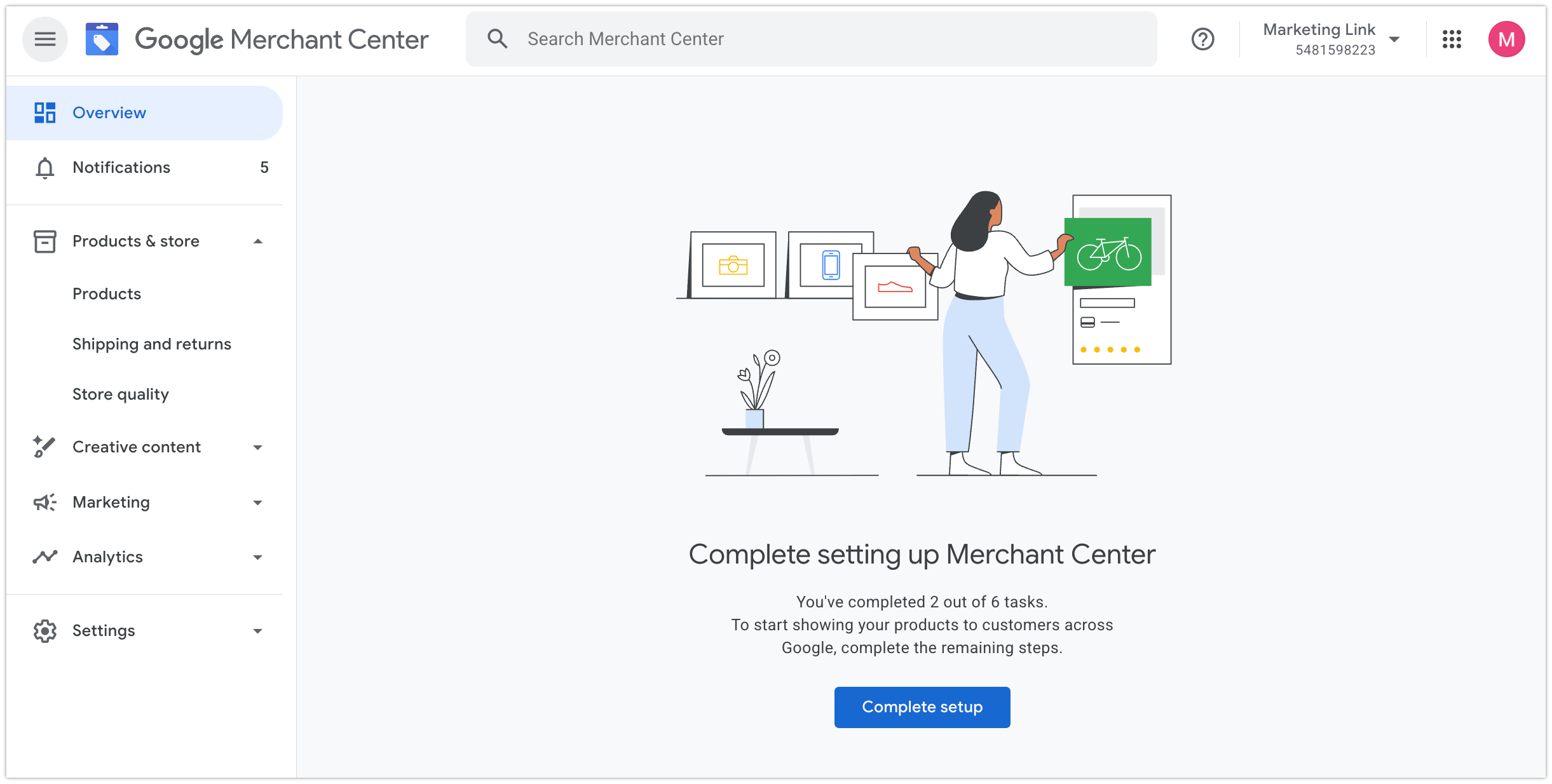
Further setup of Google Shopping in the US begins with a Merchant Center account. Currently, all new accounts are created in the Google Merchant Center Next interface—a simplified version of the old GMC. The process is as follows:
- Create an account at merchants.google.com using a corporate email.
- Enter your store name, the country of business registration, and your time zone.
- Verify your website. There are several methods: an HTML tag in the code, a file on the server, or via Google Analytics or Tag Manager. For Shopify, verification happens automatically when you connect the official Google & YouTube app.
- Claim your website—after this, the domain will be tied to your account.
- Link Merchant Center to Google Ads: in GMC, go to “Settings” → “Linked accounts,” send a request, and confirm it in Ads.
At this stage, you should also fill out your business profile: logo, colors, and social media links. Google uses this data for free product listings—Google Shopping shows them in the Shopping tab even without an advertising budget (these are free listings, more on them below).
Important: the company data in Merchant Center, on the website, and in the payment system must match. A discrepancy in the name or address is one of the typical reasons for an account suspension due to “Misrepresentation.”
Business verification takes from 2 to 10 business days. Google may request LLC formation documents, a bank statement, or a utility bill sent to the company address. Have the PDFs ready—the request comes suddenly, and you are given a limited time to respond.
Product Feed: Structure and Required Attributes
A feed is a file containing product data, from which Google builds ads. Title, description, price, link, image, availability, GTIN. The quality of the feed directly affects both moderation and which search queries your products will show up for.
The method of creation depends on the platform:
- Shopify — the Google & YouTube app syncs products automatically;
- WooCommerce — plugins like Product Feed PRO or Simprosys;
- BigCommerce and Magento — built-in integrations or third-party modules;
- Custom-built website — scheduled XML/CSV exports or the Content API.
Update the feed at least once a day. If the price or availability on the website differs from the feed, the product will be disapproved.
Common Product Feed Errors When Entering the US Market
This list is compiled from real audits—check yours before uploading:
- Price with tax included. More on this in the next section, but this is the error that breaks launches most often.
- Machine translation in descriptions. “Quality goods for you house” will pass moderation, but it will kill sales. The copy must be proofread by a native speaker or at least an editor with strong English.
- Missing GTINs for branded products. If you resell Nike without barcodes, the products will be disapproved or lose impressions. Get barcodes from the packaging or the supplier.
- Dimensions in centimeters and weight in kilograms. An American searches for a “queen size mattress,” not a “160×200 mattress.” Use inches, feet, and pounds—both in the feed and on the website.
- Incorrect google_product_category. A coffee grinder placed in “Kitchen Appliances” instead of “Coffee Grinders” gets irrelevant queries and a low conversion rate.
- A single photo with a watermark. Store logos, “SALE” overlays, and borders are all prohibited.
- Price in the feed ≠ price on the website. A classic: a discount was applied on the site, but the export sends the old price. Even a $0.50 discrepancy will be caught by the crawler.
Tip: Once a week, open the Diagnostics tab and sort the issues by the number of affected items. Fixing one systemic error often repairs 300 product listings at once.
Why Shouldn’t You Include Tax in the Product Price for the US?

The US tax system is not structured like the Ukrainian one. There is no unified VAT. Instead, there is Sales Tax, and every state has its own rate: from 0% in Oregon and Delaware to a 7.25% base rate in California (with local surcharges, it can reach up to 10%).
Hence the main rule, and it is ironclad.
Google explicitly prohibits adding Sales Tax to the price attribute. Tax is calculated at checkout and depends on the buyer’s state. The price in the feed, on the product page, and in the ad must match to the cent—without tax. If you include tax in the price, you will get mass disapproval of your products with an “Incorrect tax information” error.
Setup takes 10 minutes:
- In Merchant Center, go to Business Info → Sales Tax.
- Enable the states where you have a Nexus—a tax presence (a warehouse, office, employees, or exceeding a sales threshold, typically $100,000 a year in a state).
- For each enabled state, choose automatic rate calculation—Google will calculate the tax itself based on the delivery address.
- Leave states without a Nexus disabled.
Selling from Ukraine without an LLC and US warehouses? Then you most likely do not have a Nexus anywhere—the tax settings remain empty, and that is completely fine. If you get a warehouse in New Jersey, add the state to your settings and register there as a taxpayer.
Another plus: some states have marketplace facilitator laws, under which platforms collect the tax themselves. But this doesn’t apply to a regular online store running Google Shopping ads—you will have to monitor your Nexus yourself or use services like TaxJar.
How to Set Up Shipping Zones and Times by US State?
Without properly configured shipping, Google won’t show a single product—for the US, this is a mandatory section. It is set up in Merchant Center: “Shipping and returns” → “Add shipping service.”
What you need to specify:
- Shipping zones. You can select all states at once, or break them down: for example, the continental US as one zone with a single rate, and Alaska and Hawaii as another, with a surcharge or excluded altogether.
- Order handling time—how many days pass from order placement to handing it over to the carrier. For shipments from Ukraine, 1–3 days is realistic.
- Transit time. USPS from Ukraine takes approximately 10–20 days; commercial lines like FedEx or DHL take 3–7 days. From a US warehouse, it’s 2–5 days domestically.
- Cost. A flat rate, weight-based rate, or free shipping over a certain amount.
An example of a working setup for a clothing store shipping from Kyiv: handling takes 2 days, shipping via Ukrposhta (handed over to USPS within the US) takes 14–21 days, the rate is $6.99, and free shipping applies to orders over $80. All these numbers must be duplicated on the Shipping page of your website—discrepancies between the site and Merchant Center will raise questions during moderation.
Practical tip: free shipping in the US acts like a magnet. The threshold “Free shipping over $50” increases the average order value and significantly boosts the listing’s CTR—Google displays this badge directly in the ad. Factor shipping into your margins if your unit economics allow it.
Geotargeting in Product Ads Across US States: When to Narrow Your Reach
By default, the campaign covers the entire country. For most stores, this is the right starting point—the algorithm needs data.
Narrow the reach when there is a reason:
- The product is bulky, and shipping to the West Coast eats up the margin. Leave only the East Coast and Midwest states.
- The product is seasonal. No one in Arizona needs heaters in January, but in Minnesota, they fly off the shelves.
- State law restrictions. Examples include vaping products, specific types of knives, and dietary supplements.
- Alaska and Hawaii are almost always excluded due to shipping costs.
You must absolutely change one parameter: in the location options, choose “Presence” instead of “Presence or interest.” Otherwise, a guy in Odesa Googling “buy hiking boots USA” will see your ad, and you will pay for his curiosity.
In Standard Shopping, regional bid adjustments are available. California and New York have expensive clicks—if the conversion rate is poor there, the bid is cut by 15–20%, and the budget is shifted to Texas and Florida.
Standard Shopping or Performance Max: What to Choose for the US?

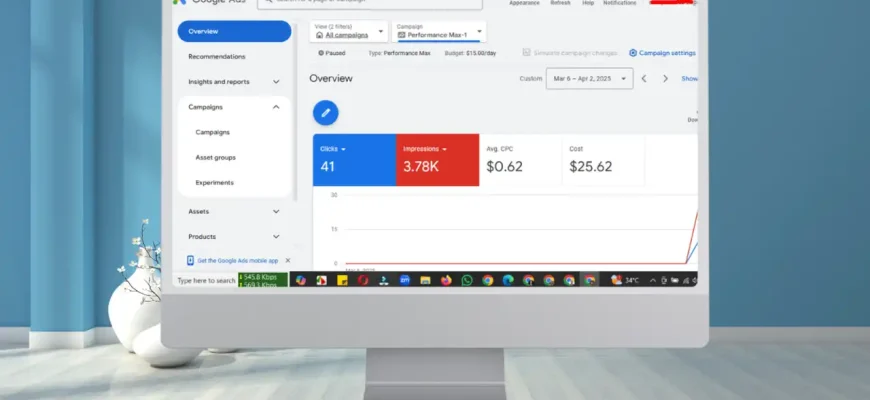
Once Merchant Center is ready, create a campaign in Google Ads. There are two options.
Standard Shopping
Classic shopping campaigns with manual control. You control bids, negative keywords, and campaign priorities. You can see the search queries that trigger impressions. For launching in a new market, this is a huge plus: it’s immediately clear whether the incoming traffic is relevant and what Americans are actually searching for.
Performance Max
An automated format. The algorithm itself distributes the budget across Shopping, Search, YouTube, Gmail, and the Display Network. It is highly powerful but requires data: as long as the account has no conversions, PMax learns blind and can drain the budget on irrelevant placements.
A working combination for entering the US looks like this:
- The first 4–6 weeks—Standard Shopping with manual bids or Maximize Clicks. You gather statistics, filter out irrelevant queries, and identify your flagship products.
- Once you’ve accumulated 30–50 conversions—launch Performance Max for proven categories, and leave the classic shopping campaigns for testing new products.
Let’s say the store opened a month ago and has only 12 orders—it’s too early to switch an account like this to PMax; the algorithm simply has nothing to learn from.
How Much Does a Click Cost in Google Shopping on the American Market?
The Google Shopping auction in the US is the most competitive in the world: Amazon, Walmart, Temu, and thousands of niche stores are fighting for impressions. Because of this, the cost per click (CPC) within a niche can vary dramatically:
- clothing, accessories — $0.30–$0.90;
- home and garden goods — $0.40–$1.20;
- electronics and gadgets — $0.60–$1.50;
- furniture, high-ticket sporting goods — $1.00–$2.50;
- narrow B2B niches and premium segments — up to $3.00–$5.00.
For comparison: product ads in Ukraine in the same categories cost 3–8 UAH per click, meaning they are 4 to 6 times cheaper. But the order value is different, too: an American will easily pay $60–$120 for something that would sell for 800–1,500 UAH in Ukraine.
The minimum test budget for the US is from $1,000–$1,500 per month. A smaller amount won’t yield enough data: at a CPC of around $0.80, that’s only 1,200–1,800 clicks, barely enough to draw conclusions. Calculate your unit economics in advance: with a 1.5–2% conversion rate and a $0.80 click, the cost per acquisition will be $40–$55—your margin must be able to absorb this.
Free Listings: Free Traffic from the Shopping Tab Available in America
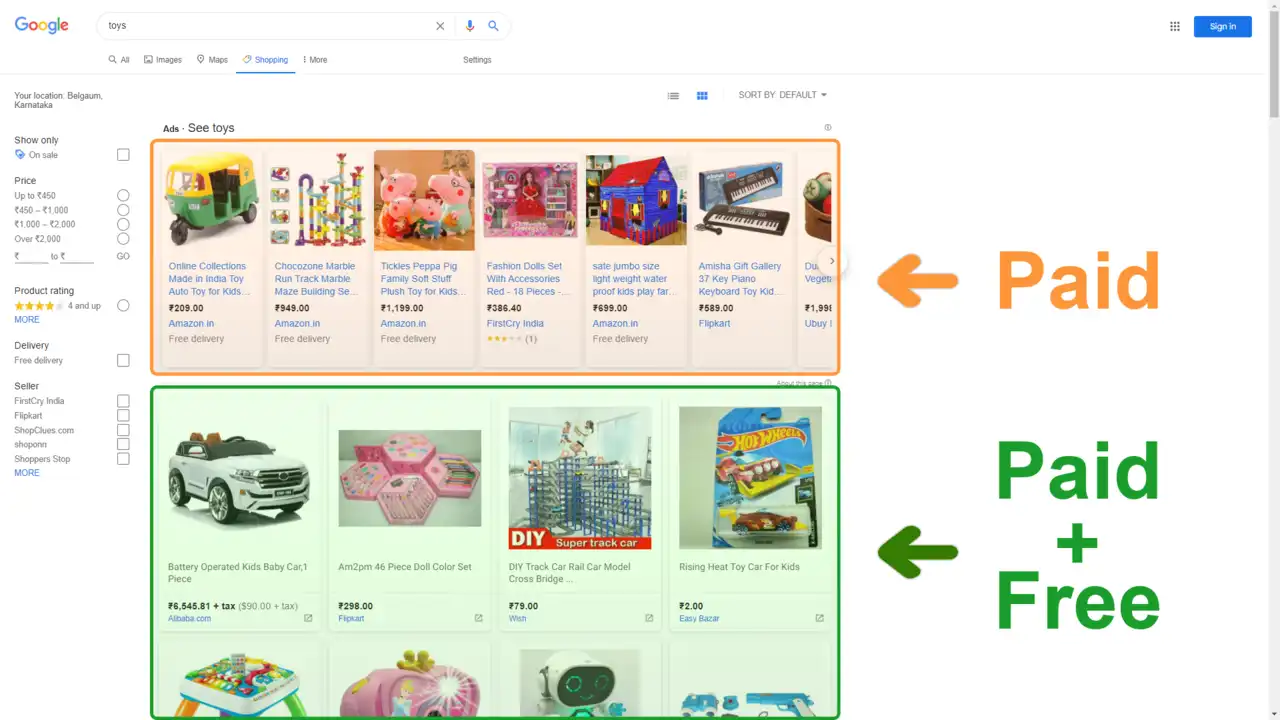
A nice bonus of the American market: products from Merchant Center are included in free listings—the “Shopping” tab, “Images,” and sometimes the main search results. You don’t have to pay for these impressions; an approved feed is enough.
Don’t expect miracles—free listings usually provide 5–15% additional traffic on top of paid campaigns. But this is traffic at zero cost, and for products with unique names or narrow niches, the share can be significantly higher. The feature is enabled automatically in Merchant Center upon registration, and you hardly need to set up anything separately—just keep your feed updated.
By the way, free listings are also a way to test your feed in battle before launching ads: if the products display correctly in the free results, it means everything is fine with the data, and you can turn on the budget.